Deep learning and PyTorch training workstations

Train and experiment on hardware you own: no queue for cloud GPUs, no hourly bills, and your data and models kept in-house. Renderboxes can help you put powerful local AI compute to work.

SEE THE BUILDS
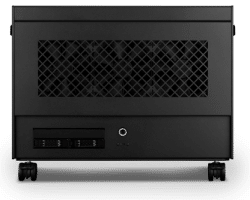
Renderboxes Atom workstation on castors, front view

The possibilities with private, local AI

Experiment freely

No meter running.

Try ideas, rerun experiments and iterate without watching an hourly cloud bill.

Train across GPUs

Scale from one card to eight.

Spread training across several GPUs in one machine as your models grow.

Vision and robotics

Models for the real world.

Train perception, detection and control models for robotics, inspection and research.

Share between researchers

One machine, several people.

Give each person their own GPUs, or split GPUs into isolated slices for smaller jobs.

Private datasets

Sensitive data stays on site.

Work with medical, commercial or research data that must stay on your premises.

Ready to work

Set up before it arrives.

RBOS and Runbooks set up the frameworks and notebooks, so you can start on day one.

Local AI capabilities, model support and performance vary by model, configuration, software and workload.

RBOS Studio welcome screen on a Renderboxes machine: your machine is ready

Protect your business

We can help you build AI workflows that protect your business.

  • Help keep your data secure. Prompts, documents and answers are processed on your own hardware, on your own network. Nothing is retained by an AI provider and nothing trains someone else’s model.
  • Your identity, protected. Personal and confidential details can be masked automatically at every exit, so only what is safe to send ever leaves the building.
  • A record you own. Every request and action can be logged to a tamper-evident audit trail on your own disks, which helps you meet client confidentiality and GDPR obligations.
BOOK A CALL

Reduce token costs

PREDICTABLE COSTS FOR THE WHOLE TEAM

Replace per-seat AI subscriptions and usage-based token fees with a fixed cost for on-premises compute your whole team can share. Workflows can be set up to check your own knowledge before a paid cloud call, and any cloud use can be capped, with a kill switch that you control.

RBOS Studio models directory: AI models your team can run on your own machine

Ready on day one: RBOS and RBOS Studio

Skip the weeks of set-up. RBOS and RBOS Studio can come preloaded, configured and tested together, so your team starts on the work, not the software.

  • One-click workflows. Runbooks set up team chat, document search, coding assistants, transcription and model serving with step-by-step guidance.
  • Your team gets simple, IT keeps control. Everyone works in a browser on your network, while admins decide who can use what and every action is logged.
  • Change it as your work changes. Add or remove workflows at any time, with no endless tweaking.
  • See every GPU at work. Assign workflows to GPUs and see what each one is doing.
ABOUT RBOS

Works with the software you use

We can set up, test and support popular AI software on your machine before it ships, including:

PyTorch · TensorFlow · JAX · Hugging Face · Jupyter

Using something else? Tell us and we will help you make it work.
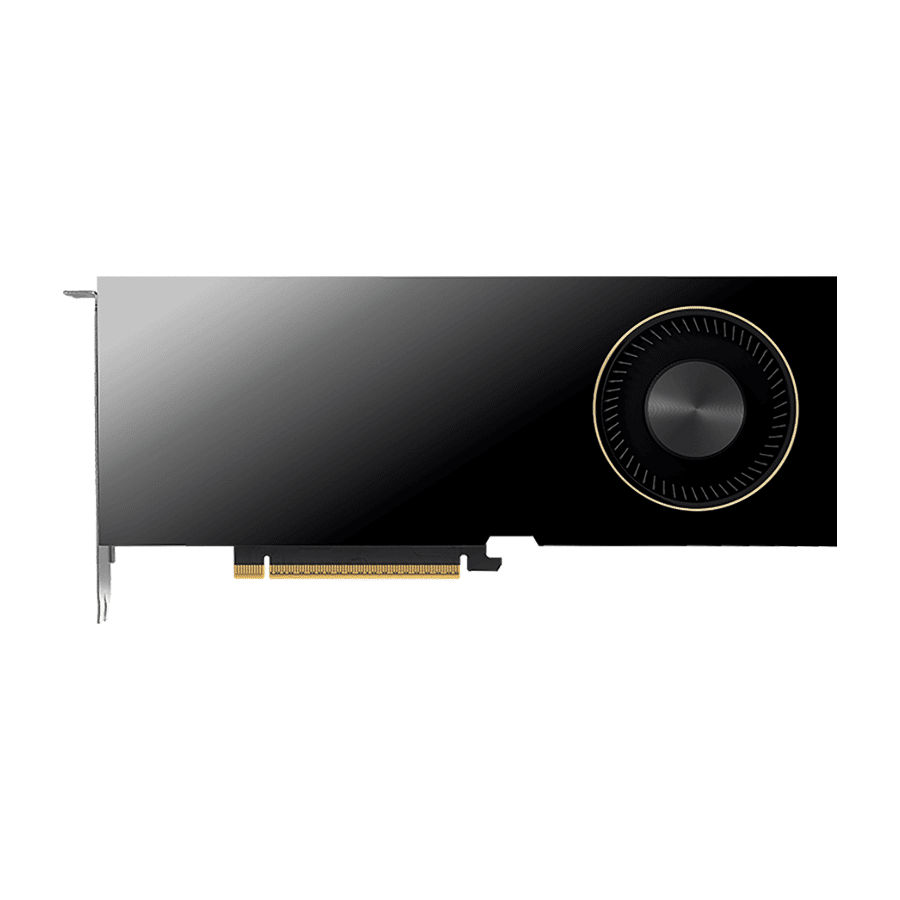
NVIDIA RTX PRO 6000 Blackwell graphics card

Built on NVIDIA RTX PRO Blackwell

These workflows rely on the NVIDIA software ecosystem, so we build them on NVIDIA RTX PRO Blackwell GPUs, with up to 96GB of VRAM on each card.

  • The broadest software support for creative, training and research AI tools.
  • Workstation-class GPUs built for sustained load, all day.
  • Room to grow from one GPU to eight as your work does.
SEE THE BUILDS

Recommended builds

Renderboxes Photon Workstation
Standard

Model training – Standard

Photon · NVIDIA RTX PRO 5000 48GB

48GB VRAM, for one person getting started.

  • CPU: AMD Ryzen 9 9950X3D
  • RAM: 64GB UDIMM ECC DDR5 5600Mhz
  • PCIe Slot: Nvidia RTX Pro 5000 Blackwell 48GB
  • NVMe Storage (Gen 5.0): Samsung 9100 Pro Gen 5 4TB
  • Operating System: RBOS Ubuntu LTS

£12,216.48 inc VAT

£10,180.40 ex VAT

Built to order · dispatched in 10 working days

Renderboxes Photon Workstation
Heavy

Model training – Heavy

Photon · NVIDIA RTX PRO 6000 Blackwell Max-Q 96GB

96GB VRAM, for one person working with the largest models.

  • CPU: AMD Ryzen 9 9950X3D
  • RAM: 128GB DDR5 6000 2x64GB
  • PCIe Slot: Nvidia RTX Pro 6000 Blackwell Max-Q 96GB
  • NVMe Storage (Gen 5.0): Samsung 9100 Pro Gen 5 4TB
  • Operating System: Microsoft Windows 11 Pro

£22,577.13 inc VAT

£18,814.28 ex VAT

Built to order · dispatched in 10 working days

Front on view of Renderboxes Atom Workstation
Studio

Model training – Studio

Atom · 2x NVIDIA RTX PRO 6000 Max-Q 96GB

192GB VRAM across 2 GPUs, for a small team.

  • CPU: AMD Ryzen Threadripper 9970X 32 Core
  • RAM: 4 × 128GB RDIMM ECC DDR5 6400
  • PCIe slots (16x): 2 × Nvidia RTX Pro 6000 Blackwell Max-Q 96GB
  • NVMe M.2 Drives (Gen 5): Samsung 9100 Pro Gen 5 2TB
  • NVMe M.2 Drives (Gen 5): Samsung 9100 Pro Gen 5 8TB
  • Operating System: RBOS Ubuntu LTS

£68,450.43 inc VAT

£57,042.04 ex VAT

Built to order · dispatched in 11 working days

Front view of the Molecule Air Workstation 8 GPUs, built for teams
Team

Model training – Team

Molecule Air · 8x NVIDIA RTX PRO 6000 Max-Q 96GB

768GB VRAM across 8 GPUs, for the whole team.

  • CPU: AMD EPYC 9575F 64 Core
  • RAM: 24 × 64GB RDIMM ECC DDR5 6400
  • PCIe slots: 8 × Nvidia RTX Pro 6000 Blackwell Max-Q 96GB
  • U.2 Storage: 2 × Micron 9550P 15.36TB U.2 NVMe
  • Operating System: RBOS Ubuntu LTS

£238,270.22 inc VAT

£198,558.61 ex VAT

Built to order · dispatched in 14 working days

Each recommended system is a starting point. Select Customise to add components or change the specification before you order.

Internal view of Renderboxes Atom Workstation showing GPU

Inside the Atom

  • Two GPUs in a desk-side chassis on castors.
  • AMD Ryzen Threadripper and up to 1 TB of ECC memory.
  • Cooling engineered for sustained AI work, all day.
TALK TO US

The machine underneath

  • 768GB VRAM in the largest build1
  • 1 to 8 GPUs, from desk-side to team server
  • AMD Ryzen, Threadripper and EPYC processors
  • 3 years parts warranty2
  1. 1In the largest build here, with NVIDIA RTX PRO 6000 Blackwell GPUs. Total VRAM depends on the GPUs specified.
  2. 2Plus 1-year return-to-base labour and 3 years of technical support.

Scale up as your team grows

Front view of Renderboxes Atom Workstation

2-GPU private AI

The Atom: 2× the GPUs and VRAM of a Photon3, for a team getting started with private AI.

Explore
Front view of Renderboxes Nano Pro Workstation

4-GPU private AI

The Nano Pro: 4× a Photon, desk-side, for heavier models and more people at once.

Explore
Front view of the Renderboxes Molecule Air workstation

8-GPU AI compute node

The Molecule Air: 8× a Photon, for whole-company AI, agents and fine-tuning.

Explore
Front view of Renderboxes Atom Rack Workstation

Rack-mount AI server

The Atom Rack: 2× a Photon, for the server room.

Explore
  1. 3Compared with a single-GPU Photon fitted with the same GPU, counting GPUs and total VRAM. Real-world performance varies by model, configuration, software and workload.
A Renderboxes engineer screwing down an NVIDIA RTX PRO 6000 graphics card

Why Renderboxes

  • Engineered for demanding AI work. Built and stress-tested in the UK for generative AI, agents, document search and fine-tuning, running all day.
  • Software ready. RBOS and RBOS Studio prepared for your AI work before delivery.
  • Secure and reliable. Your models and data on hardware you own, supported by the people who built it.
  • Future-proofed. Upgrade GPUs, memory and storage as your work grows, or move up to four or eight GPUs.
TALK TO US

Frequently asked questions

Yes. Give each person their own GPUs, or split each NVIDIA RTX PRO 6000 Max-Q into isolated slices for smaller, concurrent jobs.

No. RBOS Studio runs in a browser, and Runbooks guide you through set-up step by step. We can also set the machine up for your workflows before it ships.

Not unless you choose to. Everyday work runs on the machine. If you use a cloud model for harder tasks, personal and confidential details can be masked before anything is sent.

It can. You could keep the machine for private and everyday work and use a cloud model only for the hardest tasks, with spending capped. We can help you set that up.

That depends on your workflows and how heavily they are used. Tell us about your team and we will size the machine for it.

Many of the tools behind these workflows are built for NVIDIA first, so we build them on NVIDIA RTX PRO GPUs for the widest software support.

Yes. We keep developing new workflows, and if you need one we do not list, talk to us and we will help you make it work.

Yes. Select Customise and the configurator opens with this build already selected.

Tell us what you’d like your team to do with private AI

Tell us what you are training, the size of your datasets and how many people will share the machine, and we will recommend the right build.

This field is for validation purposes and should be left unchanged.

Talk to someone at Renderboxes

Not sure which build is right? Speak to our team and we will help you choose the right configuration for your work.

Phone icon

Request a callback

Book a time that suits you and one of our team will call you.

BOOK A CALL
Mail icon

Send us an enquiry

Tell us what you are working on and we will recommend a configuration.

Contact us
Fast response team icon

Customer care phone

Call us for instant support

0800-955-RNDR (7637)

Mon-Fri, 9 AM - 5 PM