Glossy chrome spheres and ribbons of coloured glass suspended in a dark studio, soft reflections and caustics

Cinema 4D workstations for motion design and Redshift

Cinema 4D builds and animates scenes on the processor, then Redshift, its default renderer, renders them on the GPU. We size each workstation for a responsive viewport and as many render cards as your work needs, then build, set up and test it before it ships.

Chat with our team

Recommended configurations

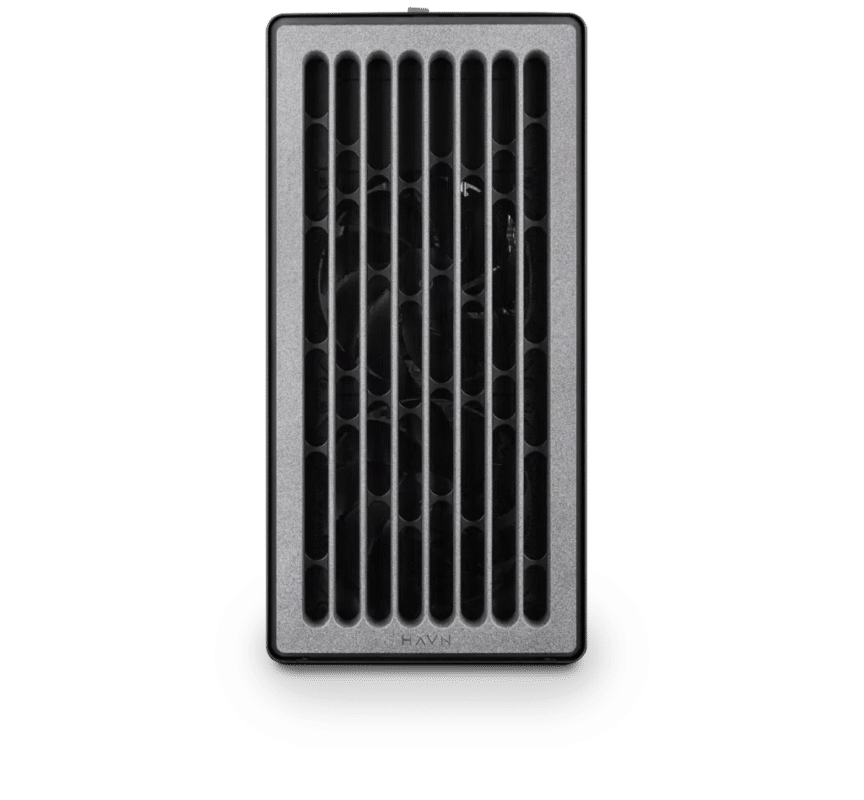
Front on view of Renderboxes Electron Early 2026 Workstation
Standard

Cinema 4D – Standard

Electron · NVIDIA RTX PRO 4500 32GB

One artist: modelling, MoGraph and Redshift on a 32GB card, with a 16-core processor for scene preparation and the interface.¹

  • CPU: AMD Ryzen 9 9950X3D
  • RAM: 128GB DDR5 5600MT/s (2x64GB)
  • PCIe 1 (x16): NVIDIA RTX PRO 4500 Blackwell 32GB
  • NVMe Storage (Gen 5.0): M.2 NVMe Gen 5 2TB
  • Operating System: Microsoft Windows 11 Pro

£10,995 inc VAT

Built to order · build time 5–7 working days1

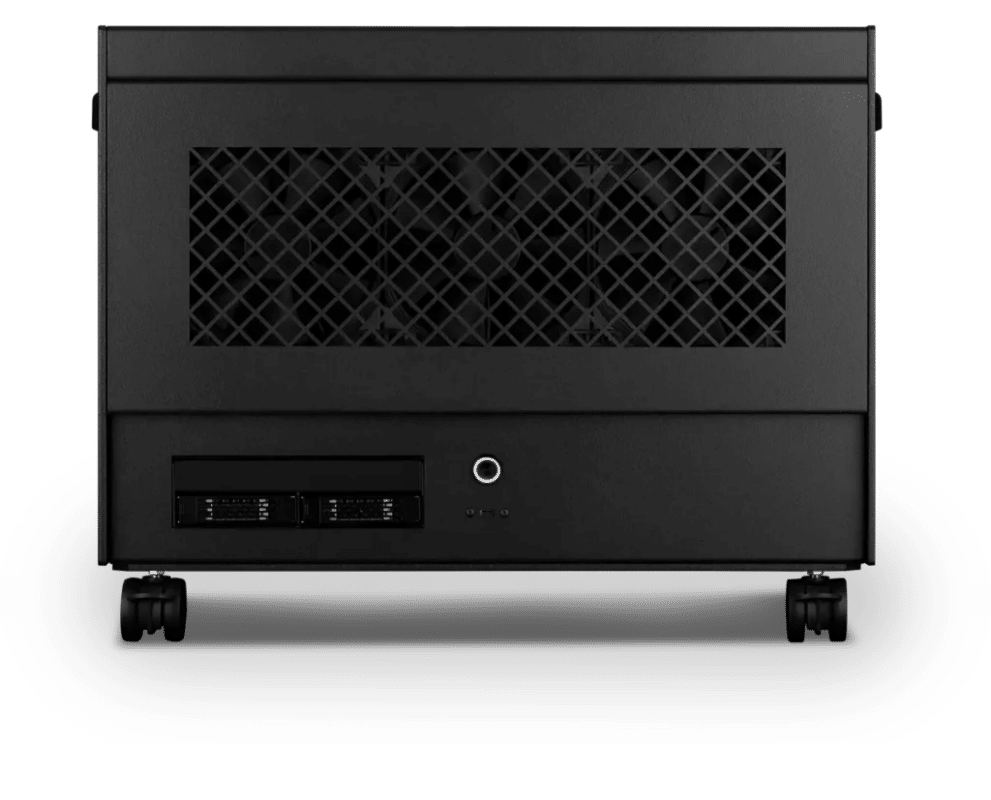
Front on view of Renderboxes Atom Workstation 2 GPUs in one workstation
Heavy

Cinema 4D – Heavy

Atom · 2× NVIDIA RTX PRO 5000 48GB

Freelancers rendering Redshift daily: two 48GB cards on each frame, with half as much again GPU memory per card as Standard.²

  • Motherboard: Gigabyte TRX50 AI TOP (4 × PCIe slots, 10GbE)
  • CPU: AMD Ryzen Threadripper 9960X 24 Core
  • RAM: 4 × 64GB RDIMM ECC DDR5 6400
  • PCIe slots (16x): 2 × NVIDIA RTX PRO 5000 Blackwell 48GB
  • NVMe M.2 Drives (Gen 5): M.2 NVMe Gen 5 4TB
  • Operating System: Microsoft Windows 11 Pro

£35,195 inc VAT

Built to order · build time 7–10 working days1

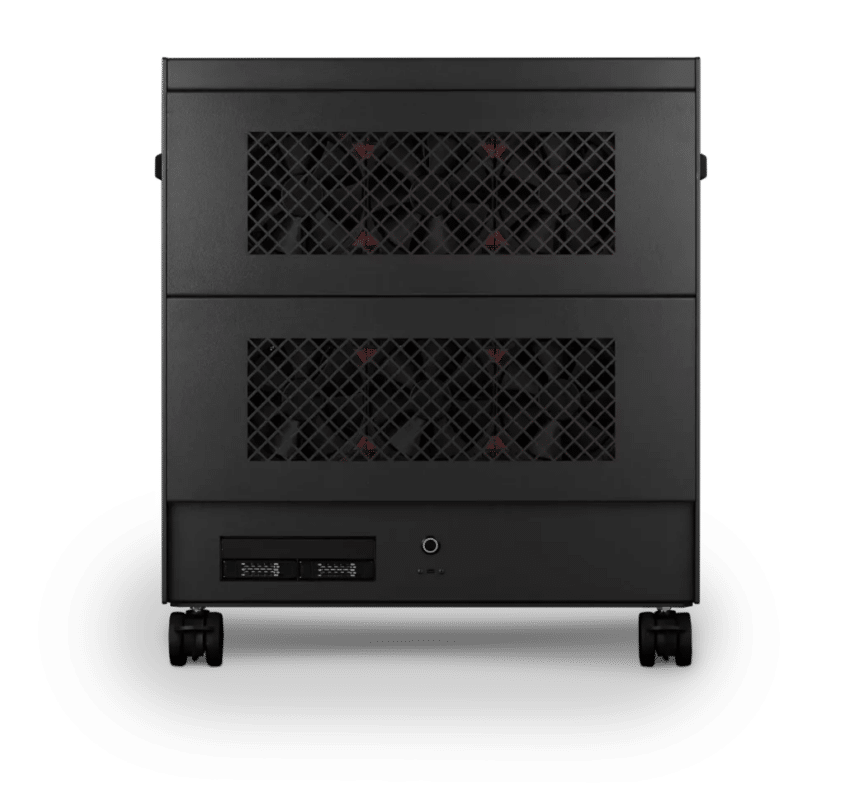
Front on view of Renderboxes Nano Pro 4 GPUs in one workstation
Studio

Cinema 4D – Studio

Nano Pro · 4× NVIDIA RTX PRO 5000 48GB

Studios: four 48GB cards, each on a full Gen5 x16 link, for Redshift animation. Twice the GPUs of Heavy.²

  • Motherboard: ASUS Pro WS WRX90E-SAGE SE (7 × PCIe slots, IPMI, 10GbE)
  • CPU: AMD Ryzen Threadripper PRO 9965WX 24 Core
  • RAM: 8 × 64GB RDIMM ECC DDR5 6400
  • GPU options: 4 × NVIDIA RTX PRO 5000 Blackwell 48GB
  • NVMe M.2 Drives (Gen 5): M.2 NVMe Gen 5 8TB
  • Operating System: Microsoft Windows 11 Pro

£72,165 inc VAT

Built to order · build time about 10–13 working days1

Front on view of Renderboxes Nano Pro 4 GPUs, 96GB each
Team

Cinema 4D – Team

Nano Pro · 4x NVIDIA RTX PRO 6000 Blackwell Max-Q 96GB

Large teams and the heaviest scenes: four 96GB cards and 1TB of system memory. Twice the GPU memory per card of Studio.²

  • Motherboard: ASUS Pro WS WRX90E-SAGE SE (7 × PCIe slots, IPMI, 10GbE)
  • CPU: AMD Ryzen Threadripper PRO 9965WX 24 Core
  • RAM: 8 × 128GB RDIMM ECC DDR5 6400
  • GPU options: 4 × NVIDIA RTX PRO 6000 Blackwell Max-Q 96GB
  • NVMe M.2 Drives (Gen 5): M.2 NVMe Gen 5 8TB
  • Operating System: Microsoft Windows 11 Pro

£134,775 inc VAT

Built to order · build time about 10–13 working days1

Each recommended system is a starting point. Select Customise to add components or change the specification before you order.

1 Working days, when all parts are in stock. If a part is delayed, we confirm your dispatch date before your order goes ahead.

Cinema 4D logo

What is Cinema 4D?

Cinema 4D is 3D software from Maxon for modelling, animation, simulation and rendering. It is widely used in broadcast design, advertising, product visualisation, architectural rendering, visual effects and game asset creation, and its MoGraph toolset of cloners, effectors and fields is an industry standard for procedural motion design.

Since Cinema 4D 2024, Redshift has been the default renderer, and every Cinema 4D subscription includes Redshift GPU rendering. Redshift can render a single frame on all the NVIDIA cards in the machine, and it can also render on the processor.

So the machine has two jobs. While you work, the processor builds and animates the scene, and the viewport and Redshift's interactive preview run on the GPU. When you render, Redshift loads every selected GPU, and the memory on each card decides how much of the scene stays on the card.

Cinema 4D and Redshift are trademarks of Maxon Computer GmbH. Renderboxes is not affiliated with or endorsed by Maxon.

Why motion designers choose Cinema 4D

  1. MoGraph

    Cloners, effectors and fields give systematic control over complex procedural motion.

  2. Redshift included

    Every subscription includes Redshift, which renders on the processor or on every GPU in the machine.

  3. Fast to learn

    An intuitive interface and included Cineversity training give designers new to 3D a clear starting point.

Diagram: Model, then MoGraph, then Simulate, then Look dev, then Render, then Comp

How a Cinema 4D job runs

A typical motion design job from first block-out to final frames. The processor carries the build and animation; the GPU carries the viewport and the Redshift render, and simulations can run on either.

  1. Model and lay out

    Modelling and scene edits run on the processor. Before each Redshift render, the processor also extracts the mesh data and prepares the scene for the GPU.

  2. Animate with MoGraph

    Cloners, effectors and fields drive complex procedural motion, and the results update as the animation plays.

  3. Simulate

    One unified simulation system covers cloth, rigid bodies, soft bodies, particles, smoke, fire and liquids. Pyro, cloth and rigid bodies can be solved on the GPU or on the processor.

  4. Light and look develop

    The Redshift interactive preview renders in the viewport and updates while you keep working. It uses the GPUs you enable in the preferences.

  5. Render

    Redshift renders each frame on every selected GPU. Memory does not combine across cards, so memory per card matters as much as the number of cards.

  6. Composite

    Multi-pass renders go on to compositing, and Cineware brings Cinema 4D scenes into After Effects. Fast storage handles the frame sequences.

What each part of the machine does for Cinema 4D

GPU memory

Holds the scene's geometry and textures while Redshift renders.

Redshift moves textures and geometry to system memory when a card is full and keeps rendering, more slowly. Volume data such as OpenVDB smoke and fire must fit in GPU memory.

Matters most

Number of GPUs

Redshift renders each frame on every selected card, and Maxon says it renders faster with multiple GPUs.

Memory does not add together across cards, so each card needs room for the scene.

Matters a lot

Processor

Extracts the scene, loads textures and prepares the data for Redshift on every frame. Some of those stages are single-threaded.

For Redshift, Maxon recommends plenty of single-threaded performance, clocks of 3.5GHz or more, and more PCIe lanes when driving four GPUs.¹

Matters a lot

System memory

Holds the scene, simulation caches and Redshift's out-of-core data.

Maxon asks for 16GB and recommends 24GB or more for Cinema 4D 2026. For Redshift it recommends at least twice as much system memory as the GPU memory of the largest card.¹

Matters

Fast storage

Redshift converts textures to its own format and keeps them in a cache on a local drive, alongside caches and frame sequences.

Maxon recommends an SSD for the texture cache so converted textures open faster during rendering.

Matters least

What motion designers use it for

Brand idents and titles

Logo animations and title sequences built with MoGraph.

Redshift renders each frame on every GPU in the machine.

Product visualisation

Photoreal product films, packaging and e-commerce stills.

GPU memory per card holds detailed models and high-resolution textures.

Broadcast graphics

Show packages, brand animation and title sequences.

Maxon says Redshift renders faster with multiple GPUs.

Simulation-driven shots

Pyro, cloth and particle work for advertising and visual effects.

Pyro, cloth and rigid bodies solve on the GPU or the processor.

Experiential installations

Content for stages, screens and installations.

Each card holds the scene, so GPU memory matters as well as GPU count.

Architectural visualisation

Interior and exterior renders and walkthrough animations.

Volumes and scene data that stay on the card keep Redshift on the GPU.

Which part of the machine each Cinema 4D task uses

Where each part of a Cinema 4D job does its work, from Maxon's documentation. 1. Published guidance from the software maker, or approximate figures, not Renderboxes tests. Actual needs depend on your scenes. 2. Comparisons are of GPU memory or the number of GPUs between Renderboxes builds, not speed.

Does its work on From Maxon
Scene preparation for Redshift The processor Some stages are single-threaded
Pyro, cloth and rigid bodies The GPU or the processor Solver device can be chosen
Redshift interactive preview The GPU Updates while you work
Redshift on the GPU Every selected GPU Memory is not combined across cards
Redshift on the processor The processor Can render alongside the GPUs
Texture cache A local drive Maxon recommends an SSD
Volumes such as OpenVDB GPU memory Cannot go out of core

Tell us what you need for Cinema 4D

Share your Cinema 4D version, the renderer you use, your current hardware and the scenes that slow you down. We will review the right configuration and confirm availability before you order.

This field is for validation purposes and should be left unchanged.

Frequently asked questions

Yes. Maxon says Redshift GPU is included with all current Cinema 4D subscriptions and is licensed on the machine where Cinema 4D is activated, so no separate Redshift licence is needed.

Redshift moves textures and geometry to system memory and keeps rendering, more slowly. Volume data, such as OpenVDB smoke and fire, cannot be moved this way and must fit on the card, so volume-heavy work needs more GPU memory.

Yes. Maxon says the processor extracts mesh data, loads textures and prepares the scene for the GPU, and some of these stages are single-threaded. It recommends plenty of single-threaded performance, and more PCIe lanes when one processor drives four GPUs.

Yes. Maxon suggests leaving one GPU out of rendering so it can handle the display and other applications, with the monitors connected to that card. On our multi-GPU builds you choose the rendering cards in Redshift's compute devices.

Extra cards help when you render with Redshift: Maxon says Redshift renders faster with multiple GPUs, and it renders each frame on every selected card. Heavy, Studio and Team add GPUs for that reason.

Redshift on the processor comes with Cinema 4D, and it can render alongside the GPUs. These configurations are built for Redshift on the GPU, so if you render mainly on the processor, tell us and we will configure a machine with more cores.

Maxon explains that some processing for each frame runs on the processor and is not sped up by adding GPUs, so each extra card adds less, and it suggests rendering several frames at once on larger systems. For more throughput we recommend a second machine.

For Cinema 4D 2026 on Windows, Maxon lists a 64-bit processor, with AVX2 support on AMD processors, 16GB of memory with 24GB or more recommended, and a DirectX 12 graphics card. Redshift has stricter GPU requirements than Cinema 4D itself. Every configuration here exceeds the memory figures.

Standard suits a single artist on a budget. Heavy suits a professional or freelancer who renders with Redshift on two cards. Studio puts four NVIDIA RTX PRO 5000 48GB cards in one workstation for a studio or team. Team is for large teams and enterprise work with the heaviest scenes, using four 96GB cards.

Talk to someone at Renderboxes

Not sure which build is right? Speak to our team and we will help you choose the right configuration for your work.

Phone icon

Request a callback

Book a time that suits you and one of our team will call you.

BOOK A CALL
Mail icon

Send us an enquiry

Tell us what you are working on and we will recommend a configuration.

Contact us
Fast response team icon

Customer care phone

Call us for instant support

0800-955-RNDR (7637)

Mon-Fri, 9 AM - 5 PM