A colourful village on a small island at sunset, low-poly hills, lanterns and boats, soft toon lighting

Unity workstations for games, XR and real-time 3D

Unity draws the editor and your game on the GPU, bakes lightmaps on the GPU or the CPU, and reads and writes many small files when it imports and builds. We size each machine for a smooth editor first, then for bakes and build times.

Chat with our team

Recommended configurations

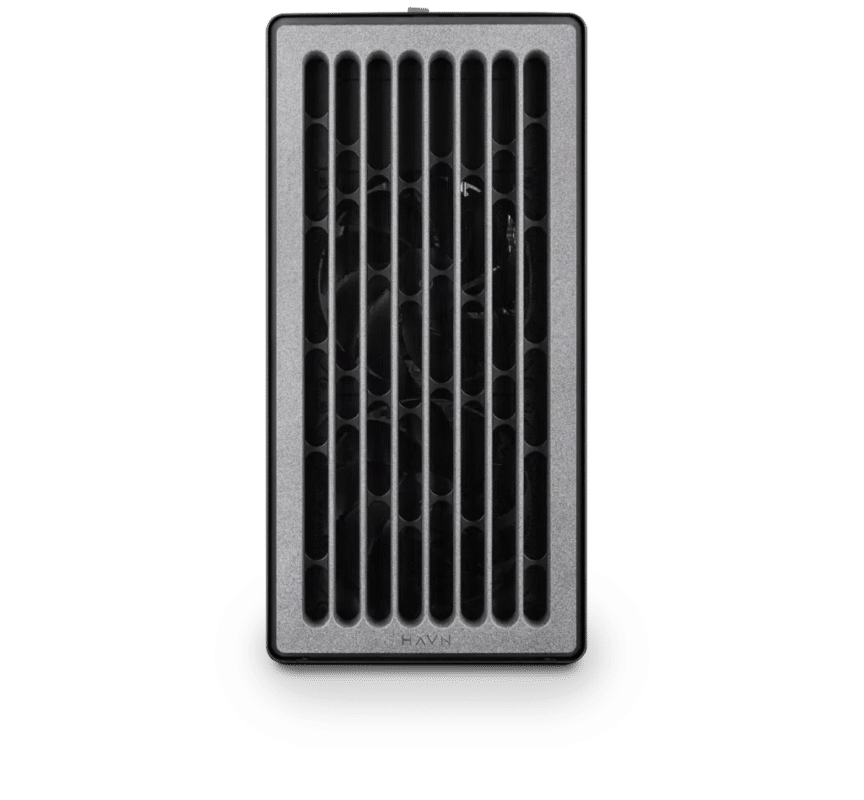
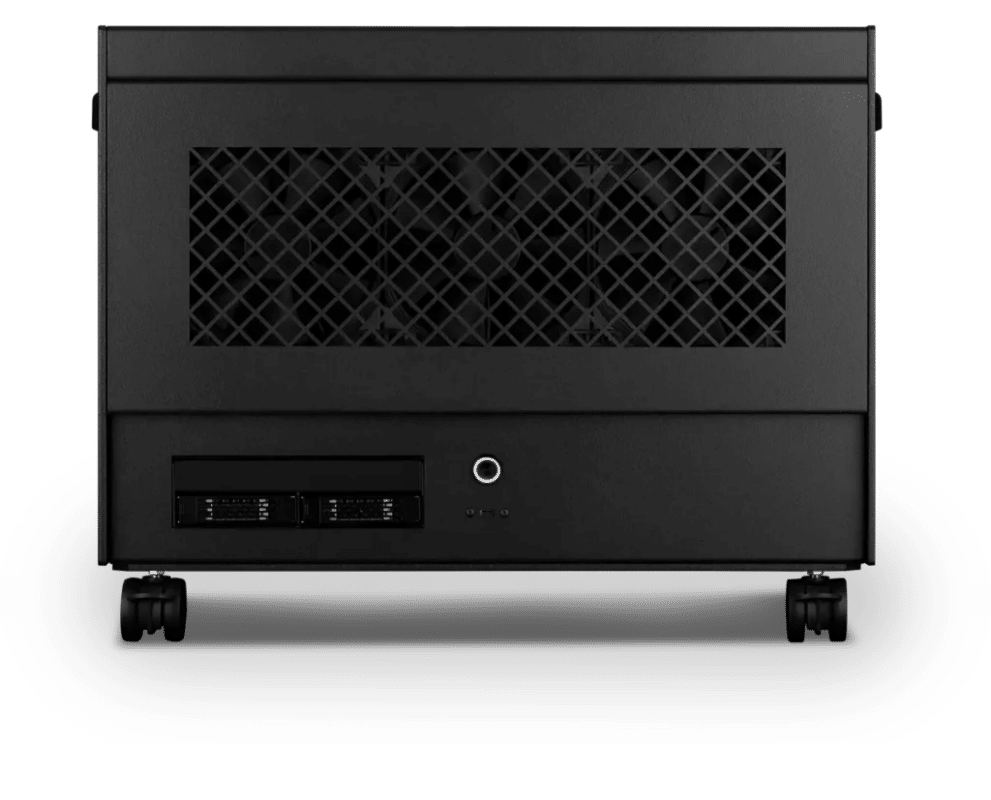
Front on view of Renderboxes Electron Early 2026 Workstation
Standard

Unity – Standard

Electron · NVIDIA RTX PRO 4500 32GB

One developer: games, apps and XR in URP or HDRP. A 16-core processor, Gen5 storage for builds and a 32GB card for the editor.

  • CPU: AMD Ryzen 9 9950X3D
  • RAM: 128GB DDR5 5600MT/s (2x64GB)
  • PCIe 1 (x16): NVIDIA RTX PRO 4500 Blackwell 32GB
  • NVMe Storage (Gen 5.0): M.2 NVMe Gen 5 2TB
  • Operating System: Microsoft Windows 11 Pro

£10,995 inc VAT

Built to order · build time 5–7 working days1

Front on view of Renderboxes Electron Early 2026 Workstation
Heavy

Unity – Heavy

Electron · NVIDIA RTX PRO 5000 48GB

HDRP, VR and large GPU light bakes on one machine: the same 16-core processor with a 48GB card. 1.5 times the GPU memory of Standard.²

  • CPU: AMD Ryzen 9 9950X3D
  • RAM: 128GB DDR5 5600MT/s (2x64GB)
  • PCIe 1 (x16): NVIDIA RTX PRO 5000 Blackwell 48GB
  • NVMe Storage (Gen 5.0): M.2 NVMe Gen 5 4TB
  • Operating System: Microsoft Windows 11 Pro

£14,875 inc VAT

Built to order · build time 5–7 working days1

Front on view of Renderboxes Atom Workstation
Studio

Unity – Studio

Atom · NVIDIA RTX PRO 5000 48GB

Teams held up by CPU bakes, imports and player builds: a 32-core processor and 256GB of memory. Twice the cores of Heavy.²

  • Motherboard: Gigabyte TRX50 AI TOP (4 × PCIe slots, 10GbE)
  • CPU: AMD Ryzen Threadripper 9970X 32 Core
  • RAM: 4 × 64GB RDIMM ECC DDR5 6400
  • PCIe slots (16x): NVIDIA RTX PRO 5000 Blackwell 48GB
  • NVMe M.2 Drives (Gen 5): M.2 NVMe Gen 5 4TB
  • Operating System: Microsoft Windows 11 Pro

£27,835 inc VAT

Built to order · build time 7–10 working days1

Each recommended system is a starting point. Select Customise to add components or change the specification before you order.

1 Working days, when all parts are in stock. If a part is delayed, we confirm your dispatch date before your order goes ahead.

Unity logo

What is Unity?

Unity is a real-time 3D engine from Unity Technologies. It is used for mobile, console and PC games, XR, car dashboards and other human-machine interfaces, immersive training and interactive installations. You build scenes in the Unity Editor, write behaviour in C#, and press Play to test the result straight away.

One project can be built for many platforms, from phones to headsets to high-end PCs. Unity offers two main render pipelines: the Universal Render Pipeline for scalable graphics across a wide range of platforms, and the High Definition Render Pipeline for high-fidelity graphics on high-end platforms. Lighting can be calculated live or baked into lightmaps ahead of time, on the GPU or the CPU, and that choice changes which part of the machine does the work.

Unity is a trademark or registered trademark of Unity Technologies or its affiliates in the U.S. and elsewhere. Renderboxes is not sponsored by or affiliated with Unity Technologies or its affiliates.

Why studios choose Unity

  1. One project, many platforms

    Build the same project for mobile, console, PC and XR headsets.

  2. Fast iteration

    Unity recompiles and reloads scripts when they change, and Play mode tests each change in the editor, so the edit and test loop stays short.

  3. Scales up or down

    URP gives scalable graphics across a wide range of platforms; HDRP gives high-fidelity graphics on high-end platforms.

Diagram: Import assets, then Script in C#, then Edit the scene, then Bake lighting, then Play mode, then Build player

How a Unity project runs

The everyday loop from import to build. The editor and Play mode load the GPU; importing and building load the CPU and the disk. Light baking can run on either.

  1. Import

    Unity converts each texture, model and sound into its own internal format and stores it in the Library folder. With Parallel Import on, images, models and audio import in several worker processes at once.

  2. Script

    When Unity detects a changed C# script, it recompiles it and reloads the scripting domain before you can carry on.

  3. Edit

    The Scene and Game views are drawn by the GPU. HDRP features and high-resolution displays ask more of the card.

  4. Bake lighting

    The Progressive GPU Lightmapper, Unity's default, bakes on the graphics card and its memory; the CPU lightmapper uses the processor and system memory instead.

  5. Play

    Play mode runs the game in the editor. If a frame takes longer to draw than the display allows, it stutters.

  6. Build

    Building a player reads and writes many small files, so Unity recommends a disk with a high IOPS rating.

What each part of the machine does for Unity

GPU

Draws the editor views and Play mode, and runs GPU light bakes.

A faster card keeps HDRP scenes and VR previews smooth. The GPU lightmapper needs at least 2GB of GPU memory.¹ If a bake needs more than the card has, Unity splits it into tiles, which is likely to be slower.

Matters most

Processor

Compiles scripts, imports assets and builds players. The CPU lightmapper bakes here instead of on the GPU.

Parallel Import sizes its worker processes from the number of logical cores, so more cores help large imports.¹

Matters a lot

System memory

Holds the editor, the open scenes and CPU light bakes.

Unity recommends 8GB as a minimum¹ and notes that larger, more complex projects need more.

Matters

Fast storage

The Library folder, imported assets and build output are thousands of small files.

Unity recommends a disk with a high IOPS rating for builds.¹ Every build here uses a Gen5 NVMe drive.

Matters

Number of GPUs

The editor draws on one GPU. With two GPUs, Unity can bake lighting on one card while the other draws the scene.¹

One strong card suits most Unity work; the Atom has room for a second card for baking.

Matters least

What studios use it for

Mobile and console games

From small mobile titles to console releases.

One project targets every platform.

VR and AR

XR games, immersive training and design review on headsets.

VR needs a high, steady frame rate, so the GPU must keep up.

Automotive and HMI

Dashboards, infotainment and other human-machine interfaces.

Unity content runs on embedded systems as well as on desktop machines.

Training and simulation

Immersive training for industry and robotics.

Staff practise procedures in real-time 3D before they meet the real equipment.

Live shows and installations

Interactive content for events, museums and media servers.

Unity content can run in Disguise shows through RenderStream.

Visualisation

Retail, manufacturing and product walkthroughs.

HDRP gives high-fidelity real-time graphics on high-end machines.

Where the time goes in Unity

Which part of the machine does the work for each everyday task. 1. Published guidance from Unity Technologies (Unity 6 manual), not Renderboxes tests. 2. Comparisons are of GPU memory or processor core count between Renderboxes builds, not speed.

Main part What helps
Editor views and Play mode GPU A faster card, especially for HDRP and VR
Script compile and reload CPU Enter Play Mode options to skip domain reload
Asset import CPU and disk Parallel Import across more cores, and fast NVMe
Progressive GPU Lightmapper GPU More GPU memory, so bakes are not split into tiles
Progressive CPU Lightmapper CPU and system memory More system memory for large bakes
Player builds Disk A high-IOPS drive

Tell us what you need for Unity

Share your Unity version, the platforms you build for, your current hardware and what slows you down. We will review the right configuration and confirm availability before you order.

This field is for validation purposes and should be left unchanged.

Frequently asked questions

Unity's default is the GPU lightmapper, which Unity says is much faster than the CPU lightmapper in most configurations, as long as the bake fits in GPU memory. If it does not fit, Unity bakes in tiles, which is likely to be slower. A 48GB card lets more scenes bake without tiling.

Yes. URP is built for scalable graphics across a wide range of devices. HDRP targets high-fidelity graphics on high-end platforms, with features such as volumetric clouds and a path tracer, so it asks much more of the GPU while you work.

By default, Unity reloads the scripting domain each time you enter Play mode to reset the game's state. Unity's Enter Play Mode options can turn this reload off, but your code must then reset its own state.

Yes. Disguise RenderStream supports Unity, with Disguise's plug-in installed on the render node, so a Unity scene can be part of a Disguise show. Tell us about your show and we will plan the render nodes.

For light baking, yes. Unity's default Progressive GPU Lightmapper bakes on the graphics card and has been out of preview and fully supported since Unity 2023.2; Unity says it is much faster than the CPU lightmapper in most configurations. Player builds depend on the processor and on a disk with a high IOPS rating.

When CPU light baking, large imports or player builds hold you up. For everyday editor work, the 16-core processor in Standard and Heavy is enough.

For baking, it can: with two GPUs, Unity lets you bake lighting on one card while the other draws the scene. The editor itself draws on one GPU, so each configuration starts with one strong card, and the Atom in Studio has room for a second.

As a guide, 32GB suits most users, with 64GB or more for bakes that take hours. Standard and Heavy have 128GB, and Studio 256GB.

Standard suits a single developer on a budget. Heavy suits a professional or freelancer working in virtual production, VR or archviz, with an NVIDIA RTX PRO 5000 48GB. Studio is for a studio or team whose bottleneck is heavy light baking or compiling.

Talk to someone at Renderboxes

Not sure which build is right? Speak to our team and we will help you choose the right configuration for your work.

Phone icon

Request a callback

Book a time that suits you and one of our team will call you.

BOOK A CALL
Mail icon

Send us an enquiry

Tell us what you are working on and we will recommend a configuration.

Contact us
Fast response team icon

Customer care phone

Call us for instant support

0800-955-RNDR (7637)

Mon-Fri, 9 AM - 5 PM