Number of GPUs
Octane renders on several GPUs at once, so more cards add rendering capacity.
Rendering runs completely on the GPU, which makes GPU count the main lever. The cards can even be different models.
Matters most



OctaneRender is an unbiased renderer that runs completely on the GPU. We size these machines around the number of NVIDIA GPUs first, then the memory on each one.
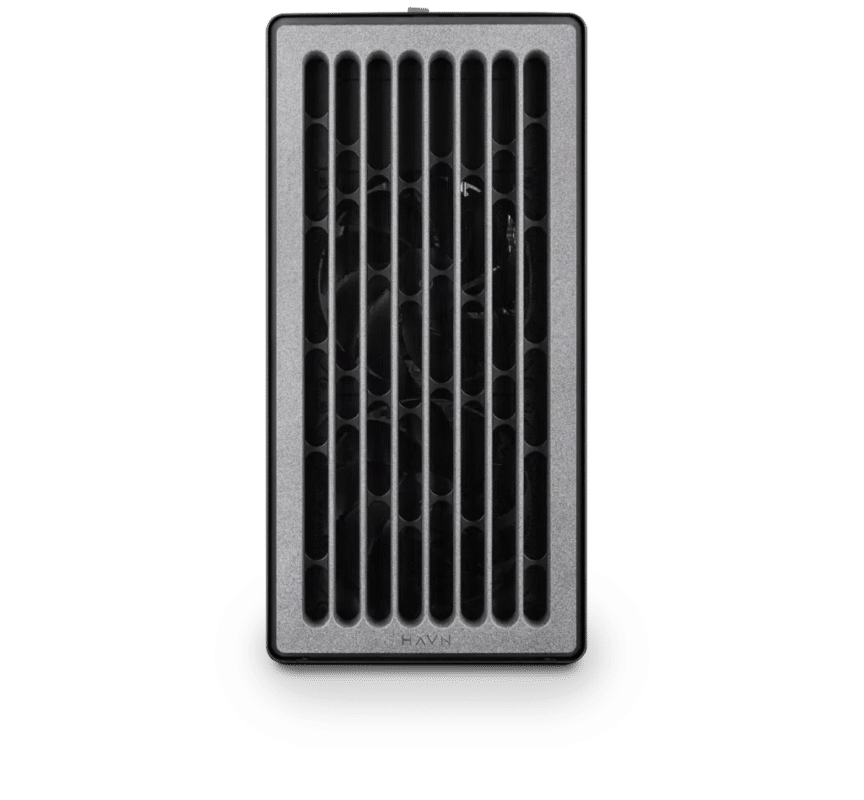
Electron · NVIDIA RTX PRO 5000 48GB
One artist on stills and short animations with a single 48GB card, with room for 8K denoising beside the scene.¹
£14,875 inc VAT
Built to order · build time 5–7 working days1
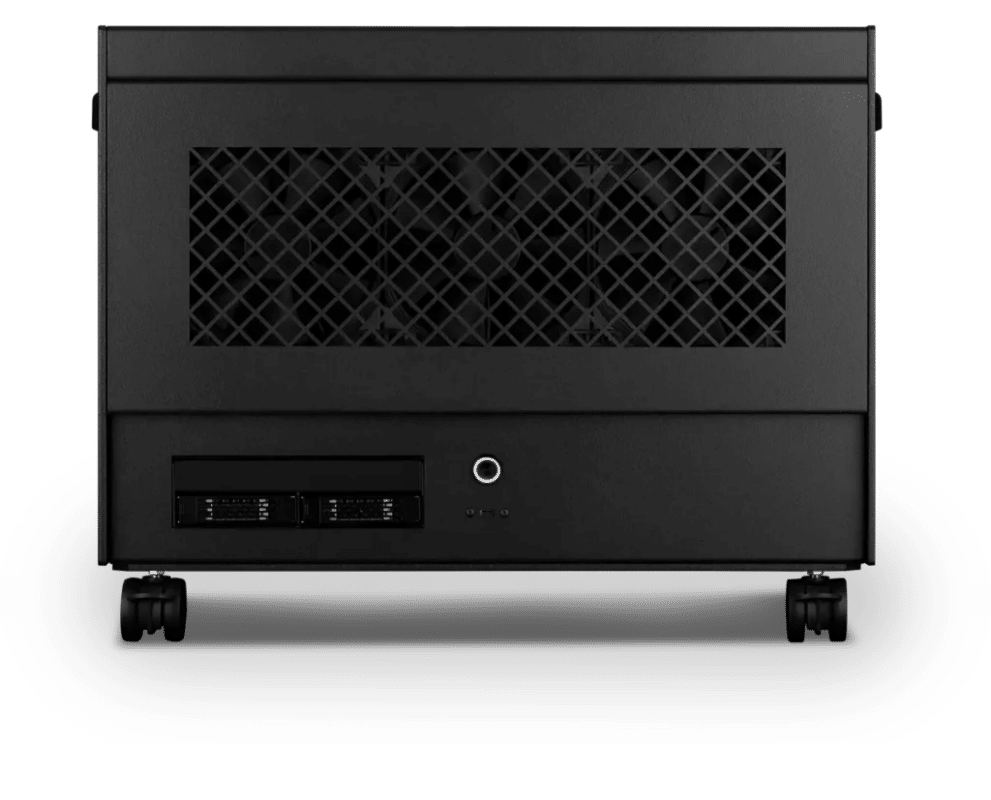
Atom · 2× NVIDIA RTX PRO 5000 48GB
A freelancer who renders every day: two 48GB cards share every frame. Twice the GPUs of Standard.²
£35,195 inc VAT
Built to order · build time 7–10 working days1
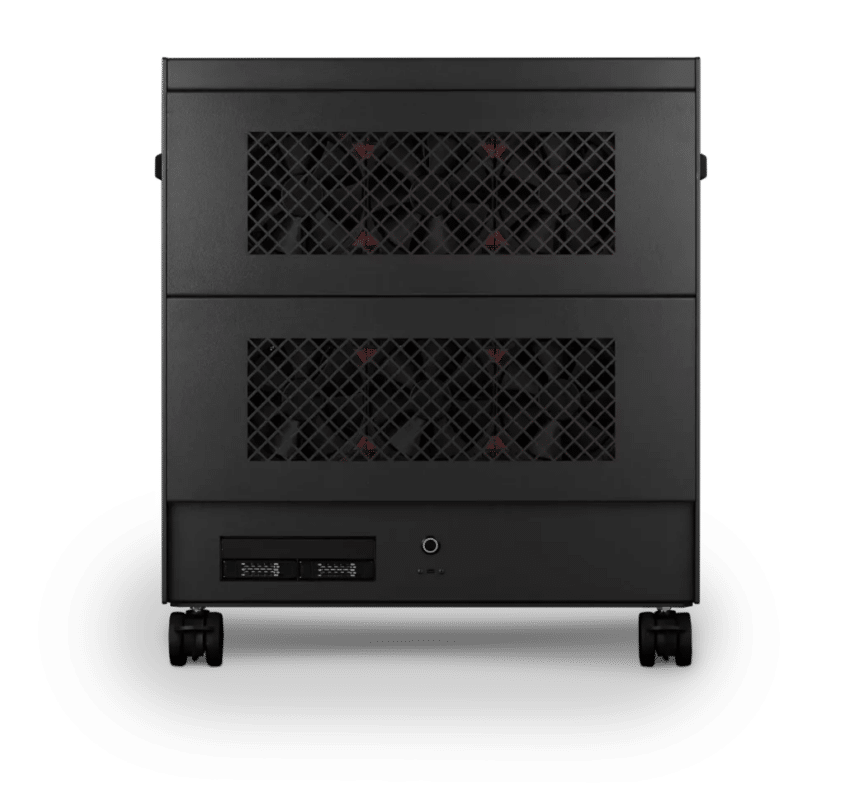
Nano Pro · 4× NVIDIA RTX PRO 5000 48GB
A studio workstation with four 48GB cards, each on a full Gen5 x16 link. Twice the GPUs of Heavy.²
£72,165 inc VAT
Built to order · build time about 10–13 working days1

Molecule Air · 8x NVIDIA RTX PRO 6000 Blackwell Max-Q 96GB
A team's shared render workstation: eight 96GB cards. Twice the GPUs and twice the memory per card of Studio.²
£224,485 inc VAT
Built to order · build time 14–21 working days1
Each recommended system is a starting point. Select Customise to add components or change the specification before you order.
1 Working days, when all parts are in stock. If a part is delayed, we confirm your dispatch date before your order goes ahead.

OctaneRender, from OTOY, is an unbiased ray tracer with spectral rendering algorithms that runs completely on the GPU. Unbiased means it simulates light without approximations that trade accuracy for speed, so the image starts noisy and refines as samples add up.
Octane runs as a plug-in inside Cinema 4D, Houdini, Maya, 3ds Max, Blender, Unreal Engine and many other applications. In Cinema 4D, the Live Viewer updates the render in real time as you change the scene.
On Windows and Linux it needs a CUDA-capable NVIDIA graphics card, and the processor does not render. Rendering capacity comes from the number of cards, and scene size from the memory on each.
OctaneRender is a trademark of OTOY Inc. Renderboxes is not affiliated with or endorsed by OTOY.
An unbiased ray tracer with spectral algorithms, running completely on the GPU.
In Cinema 4D the Live Viewer updates the scene in real time as you move lights and change materials.
Octane renders on several GPUs at once, so capacity grows card by card.

From the host application to a finished frame. Once the scene is on the cards, rendering runs on the GPUs.
The plug-in passes the host scene to Octane. This runs on the processor.
Geometry and textures go into GPU memory. Memory does not add up across cards: multi-GPU rendering is limited by the card with the least memory.
The GPUs trace samples for the image. It starts noisy and gets cleaner with every sample.
The Spectral AI Denoiser runs only on the GPU and removes remaining noise. It needs GPU memory of its own, which grows with resolution.¹
Render passes, including denoised beauty, diffuse and reflection passes, are written out for compositing.
Octane renders on several GPUs at once, so more cards add rendering capacity.
Rendering runs completely on the GPU, which makes GPU count the main lever. The cards can even be different models.
Matters most
Memory per card sets the largest scene the GPUs can hold.
Out-of-core features move geometry and textures into system memory when a scene outgrows the card. Memory does not add up across cards.
Matters a lot
Holds out-of-core data and the host application's scene.
OTOY recommends 16GB of system memory for out-of-core features, and more when using the denoiser.¹
Matters
Texture libraries, HDRIs and caches load from local NVMe drives.
Large scenes reference many gigabytes of textures; fast local drives cut load time between shots.
Matters
The processor does not render in Octane.
OTOY recommends an 8-core processor.¹ The host application and scene export still run on it.
Matters least

Octane's AI denoiser runs on the card alongside the scene, and its memory need grows with output resolution. On a small card, an 8K frame can leave little room for the scene itself.
On a 48GB or 96GB card, the denoiser at 8K still leaves most of the card for geometry and textures.¹
1. Published OTOY guidance, approximate, not Renderboxes tests. Each card also needs about 450MB more for the denoiser.
Idents, title sequences and abstract animation from Cinema 4D.
The Live Viewer shows the render in real time, so lighting is judged before the overnight run.
Photographic product stills and turntables.
Spectral rendering and the AI denoiser give clean product stills.
Stills and fly-throughs with realistic daylight.
Unbiased ray tracing simulates daylight without approximations.
Posters and stills at print resolution.
Large cards hold high-resolution textures and the 8K denoiser together.
Final frames from Unreal levels through the Octane plug-in.
The same level serves real-time work and Octane path-traced frames.
A team sends jobs to one many-GPU workstation.
Eight cards give the whole team one fast render target.
OTOY lists an Octane plug-in for each of these hosts. Versions move quickly, so tell us yours when you enquire.³ 1. Published guidance from OTOY, approximate, not Renderboxes tests. 2. Comparisons are of GPU memory or the number of GPUs between Renderboxes builds, not speed. 3. Integration and licensing details as published by OTOY in November 2026; check the current release notes for your host version.
| Integration | Notes | |
|---|---|---|
| Cinema 4D | Plug-in | Live Viewer updates the scene in real time. |
| Houdini | Plug-in | Listed by OTOY.³ |
| Maya | Plug-in | Listed by OTOY.³ |
| 3ds Max | Plug-in | Listed by OTOY.³ |
| Blender | Plug-in | Listed by OTOY.³ |
| Unreal Engine | Plug-in | Listed by OTOY.³ |
| Rhinoceros and SketchUp | Plug-ins | Listed by OTOY.³ |
| Nuke | Plug-in | Listed by OTOY.³ |
Share your OctaneRender and host application versions, your current hardware and the scenes that slow you down. We will review the right configuration and confirm availability before you order.
No. OTOY notes that memory is not compounded in GPU rendering: multi-GPU rendering is limited by the card with the least memory, so four 48GB cards give 48GB for the scene. Extra cards add capacity; more memory per card adds scene size.
Not for rendering, which runs completely on the GPU. The processor runs the host application and exports the scene, and OTOY recommends an 8-core processor.¹
OTOY suggests dedicating one card to Octane and using another for display output if the system feels slow, so the interface stays responsive while the other cards render.
Octane X runs on Macs with an Apple M1 or newer GPU and macOS 14 or later. These workstations use NVIDIA cards on Windows or Linux, where Octane needs a CUDA-capable NVIDIA card.
Octane renders on several GPUs at once, and rendering runs completely on the GPU, so each card adds rendering capacity. That is why we offer an eight-GPU configuration for Octane.
Octane can render out of core, using system memory, and OTOY recommends at least 16GB of system memory for this (OTOY hardware requirements). Every configuration here has 128GB or more. If you mix cards, all of them are limited to the smallest card’s memory.
No. OTOY’s hardware requirements call for an NVIDIA CUDA card, so every configuration here uses NVIDIA GPUs.
Yes. OTOY's Studio+ subscription includes render node licences, limited to 10 render nodes by default, with no GPU limit per machine; OTOY asks you to contact it to go beyond that. Tell us how many machines you plan to run and we will help you plan the split.
Standard suits a single artist on a budget, with one NVIDIA RTX PRO 5000 48GB. Heavy suits a professional or freelancer and doubles the cards. Studio puts four NVIDIA RTX PRO 5000 48GB cards in one workstation for a studio or team. Team is for large teams and enterprise work: eight 96GB cards in the Molecule Air, shared by a team or used as the studio’s render node.
Not sure which build is right? Speak to our team and we will help you choose the right configuration for your work.


Tell us what you are working on and we will recommend a configuration.
Contact us

Offline · Mon–Fri, 9am–5pm UK
Our engineers are online. Ask about a build, a quote or an order and we will answer here.