A dreamlike volumetric capture of a forest clearing, made of millions of soft glowing points of light

Gaussian splatting workstations for Postshot and gsplat

Gaussian splatting turns photos or video into a photoreal 3D scene you can view from any angle in real time. Training runs on NVIDIA GPUs, so we size these machines around GPU memory first, with two cards in the Studio build to train two scenes at once.

Chat with our team

Recommended configurations

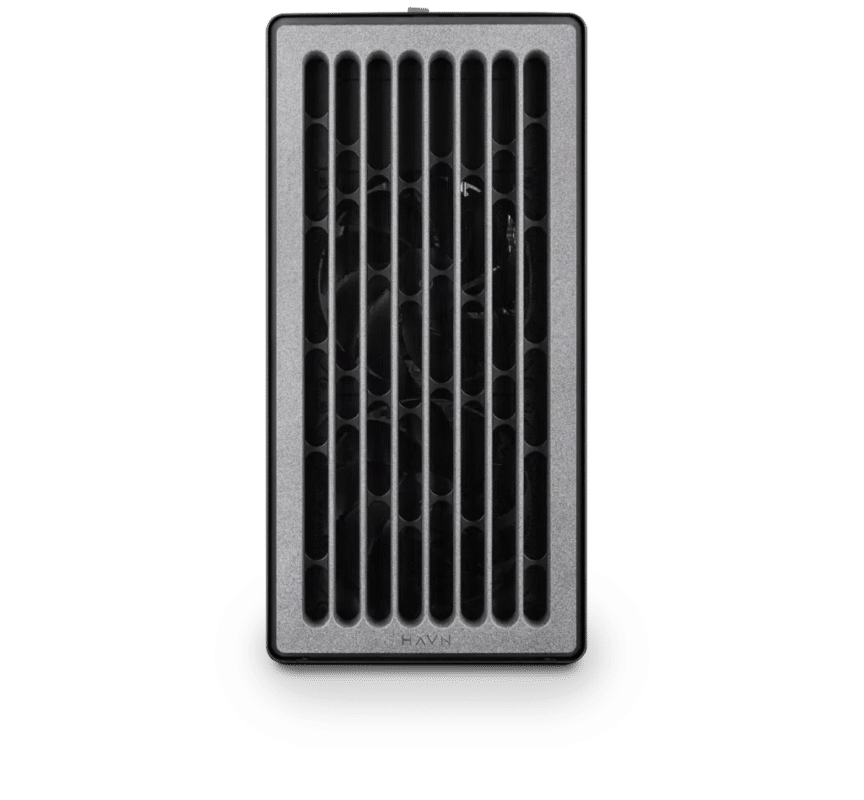
Front on view of Renderboxes Electron Early 2026 Workstation
Standard

Gaussian Splatting – Standard

Electron · NVIDIA RTX PRO 4500 32GB

Learning and single-scene work: room-scale captures and product scans on a 32GB card.¹

  • CPU: AMD Ryzen 9 9950X3D
  • RAM: 128GB DDR5 5600MT/s (2x64GB)
  • PCIe 1 (x16): NVIDIA RTX PRO 4500 Blackwell 32GB
  • NVMe Storage (Gen 5.0): M.2 NVMe Gen 5 2TB
  • Operating System: Microsoft Windows 11 Pro

£10,995 inc VAT

Built to order · build time 5–7 working days1

Front on view of Renderboxes Electron Early 2026 Workstation
Heavy

Gaussian Splatting – Heavy

Electron · NVIDIA RTX PRO 5000 48GB

Larger scenes and higher training resolution: half as much GPU memory again as Standard, on a 48GB card.²

  • CPU: AMD Ryzen 9 9950X3D
  • RAM: 128GB DDR5 5600MT/s (2x64GB)
  • PCIe 1 (x16): NVIDIA RTX PRO 5000 Blackwell 48GB
  • NVMe Storage (Gen 5.0): M.2 NVMe Gen 5 4TB
  • Operating System: Microsoft Windows 11 Pro

£14,875 inc VAT

Built to order · build time 5–7 working days1

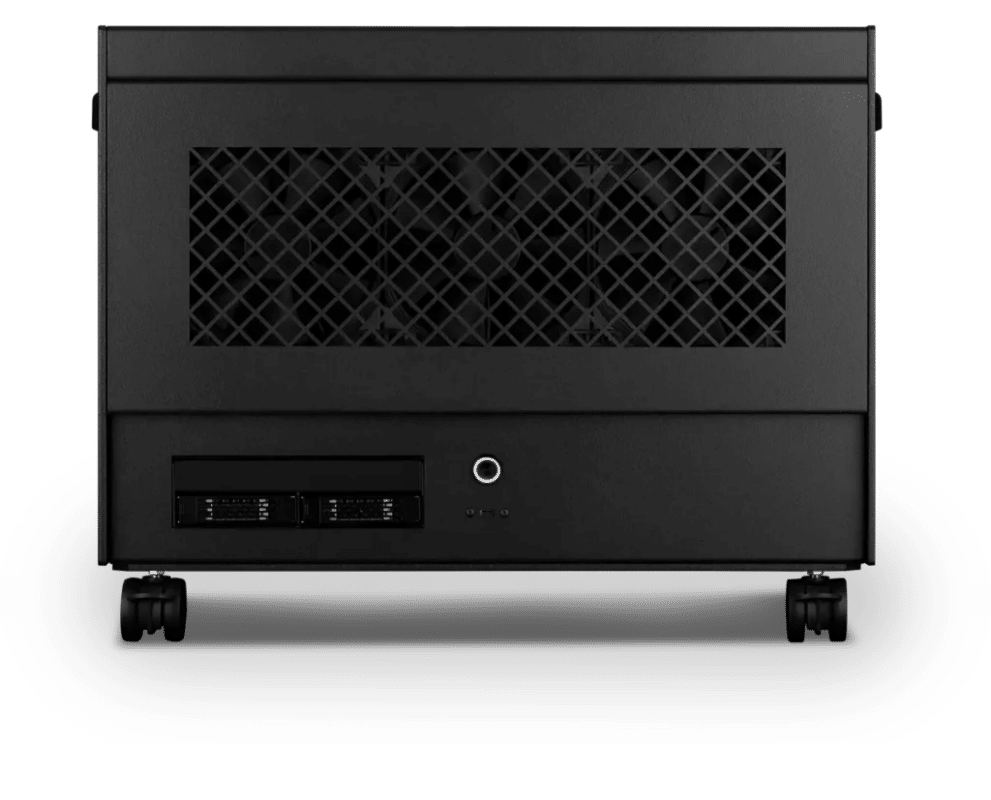
Front on view of Renderboxes Atom Workstation 2 GPUs in one workstation
Studio

Gaussian Splatting – Studio

Atom · 2x NVIDIA RTX PRO 6000 Max-Q 96GB

Two scenes training at once, one per card, or gsplat across both. Six times the GPU memory of Standard, across two cards.²

  • Motherboard: Gigabyte TRX50 AI TOP (4 × PCIe slots, 10GbE)
  • CPU: AMD Ryzen Threadripper 9970X 32 Core
  • RAM: 4 × 64GB RDIMM ECC DDR5 6400
  • PCIe slots (16x): 2 × NVIDIA RTX PRO 6000 Blackwell Max-Q 96GB
  • NVMe M.2 Drives (Gen 5): M.2 NVMe Gen 5 4TB
  • Operating System: Microsoft Windows 11 Pro

£50,975 inc VAT

Built to order · build time 7–10 working days1

Each recommended system is a starting point. Select Customise to add components or change the specification before you order.

1 Working days, when all parts are in stock. If a part is delayed, we confirm your dispatch date before your order goes ahead.

Gaussian splatting logo

What is Gaussian splatting?

Gaussian splatting is a way of capturing a real place or object in 3D. Instead of a mesh, the scene is stored as millions of small, soft, coloured blobs called Gaussians. The software trains them from photos until, seen from any camera position, they reproduce what was photographed.

A splat starts from photos or video with known camera positions, worked out by structure-from-motion tools such as COLMAP, RealityScan or Postshot's own camera tracking. Training then runs on the GPU, and the finished scene renders in real time.

Postshot, from Jawset Visual Computing, is a Windows application for tracking, training, editing and rendering radiance fields, with integrations for Unreal Engine and After Effects. gsplat is an open-source CUDA library from the Nerfstudio team for developers and researchers, and its distributed mode spreads one scene across several GPUs.

Postshot is a product of Jawset Visual Computing. gsplat is open-source software from the Nerfstudio team. Renderboxes is not affiliated with or endorsed by either.

Why studios choose Gaussian splatting

  1. Photoreal from photos

    Scenes are trained directly from photos or video, without modelling or texturing.

  2. Real-time playback

    A trained scene renders interactively, so you can move a camera freely through it.

  3. Fits existing tools

    Postshot's plug-ins bring trained scenes into Unreal Engine 5.4 to 5.7 and After Effects, alongside your usual assets.

Diagram: Capture, then Camera poses, then Initialise, then Train, then Review, then Export

How a Gaussian splat is made

From capture to a finished scene. Camera solving loads the processor; training is where the GPU does almost all the work.

  1. Capture

    Shoot sharp photos with 30 to 50% overlap from many angles, or video at a pace that avoids motion blur. Avoid moving objects and on-camera flash.

  2. Solve camera positions

    Structure from motion finds where each image was taken. Postshot computes camera poses itself, or you can import poses from RealityScan or COLMAP.

  3. Initialise

    The sparse points from the camera solve become the starting splats.

  4. Train

    The GPU renders the splats from each camera, compares them with the photo and adjusts them, thousands of times. The number of splats being optimised grows during training, so GPU memory use grows too.

  5. Review

    Fly through the result in real time and crop or clean up stray splats.

  6. Export

    Export as PLY or SPZ, or bring the scene into Unreal Engine or After Effects with Postshot's plug-ins.

What each part of the machine does for Gaussian splatting

GPU memory

Holds every splat and the training images, so it decides how large and detailed a scene you can train.

Larger scenes and higher training resolution need more. The original research code lists 24GB to train to its published quality.¹

Matters most

GPU speed

Training is almost entirely GPU work, so the card sets how long each scene takes.

Postshot needs an NVIDIA GPU of compute capability 7.5 or later, and gsplat is a CUDA library.

Matters a lot

Number of GPUs

With two cards you can train two scenes at once, one per GPU.

Postshot's --gpu option selects the training GPU from the command line. gsplat's distributed mode can also split one scene across GPUs, each holding part of it.

Matters for teams

Processor

Runs the camera solve, video frame extraction and image loading.

Structure from motion on large image sets takes real processor time before training starts.

Matters

System memory and storage

Holds the image set and project files while training.

Fast NVMe drives load large captures quickly and store the many versions a project produces.

Matters least

What studios use it for

Virtual production

Photoreal locations as backgrounds in Unreal Engine.

Capture a real place once and shoot against it any time.

VFX and compositing

Place captured scenes in shots with Postshot's After Effects plug-in.

Camera moves through a real location without a reshoot.

Architecture and property

Walkthroughs of buildings and sites from a phone or camera capture.

Capture with a phone or camera and move through the result in real time.

Cultural heritage

Interiors and objects with reflections and fine detail intact.

The scene reproduces how a space looked from every angle photographed.

Product visualisation

Photoreal 3D views of products for marketing.

Photoreal views from any angle, without modelling.

Research and development

New training methods and pipelines built on gsplat and Nerfstudio.

Nerfstudio's splatfacto method uses gsplat as its rasteriser, on the same NVIDIA hardware.

Gaussian splatting tools

Most studios use Postshot; developers and researchers often build on gsplat. Licences differ, so check before commercial use.³ 1. Hardware requirement published with the original 3D Gaussian Splatting research code; Postshot does not publish a memory figure. Actual use depends on scene size, image resolution and settings. 2. Comparisons are of GPU memory between Renderboxes builds, not speed. 3. Licence terms as published by each project in November 2026; check the current terms before commercial use.

What it is Licence
Postshot (Jawset) Windows application for tracking, training, editing and rendering; NVIDIA GPUs Free for non-commercial use; Indie and Studio licences for commercial use
gsplat (Nerfstudio team) Open-source CUDA library with multi-GPU distributed rasterisation Apache 2.0
Nerfstudio Open-source framework; its splatfacto method uses gsplat Apache 2.0
Original 3D Gaussian Splatting (Inria) The 2023 research code Non-commercial research and evaluation licence

Tell us what you need for Gaussian Splatting

Share the tools you use, your typical capture size and how many scenes you train at once. We will review the right configuration and confirm availability before you order.

This field is for validation purposes and should be left unchanged.

Frequently asked questions

Photogrammetry builds a mesh with textures, which you can measure, edit and use in any 3D tool. Gaussian splatting stores the scene as soft blobs that reproduce how it looked and render in real time. Many studios use both, often from the same capture.

From structure from motion. Postshot computes camera poses and sparse points itself, and it can import poses from RealityScan or COLMAP, which helps with large or difficult captures.

Yes. Postshot includes plug-ins for Unreal Engine 5.4 to 5.7 and for After Effects. Jawset notes that a packaged Unreal project still needs Postshot installed on the machine that runs it.

Sharp images, with short exposures and small apertures, 30 to 50% overlap and coverage from as many angles as possible. With video, move at a pace that avoids motion blur. Moving objects, lights and shadows cause blur or ghosting, and on-camera flash lights each frame differently.

Yes. Jawset lists Windows and an NVIDIA RTX 2060 or newer as requirements (Jawset release notes). Every configuration here uses NVIDIA and ships with Windows 11 Pro.

Jawset does not document that. Since version 0.4 you can choose the training GPU from the command line (Jawset), so with two cards you can run two jobs at once, one on each GPU.

Yes. gsplat supports distributed rasterisation across several GPUs, with each GPU holding part of the scene (gsplat documentation). Scaling figures are not published.

Jawset does not publish a figure for Postshot, and version 0.4 reduced training memory by about 15% (Jawset). The original 3D Gaussian Splatting research code lists 24GB to train to its published quality (Inria). Tell us your typical capture size and we will advise.

Standard suits learning and smaller captures. Heavy adds GPU memory with the NVIDIA RTX PRO 5000 48GB. Studio is for teams that train several scenes at once, or for running gsplat across two 96GB cards.

Talk to someone at Renderboxes

Not sure which build is right? Speak to our team and we will help you choose the right configuration for your work.

Phone icon

Request a callback

Book a time that suits you and one of our team will call you.

BOOK A CALL
Mail icon

Send us an enquiry

Tell us what you are working on and we will recommend a configuration.

Contact us
Fast response team icon

Customer care phone

Call us for instant support

0800-955-RNDR (7637)

Mon-Fri, 9 AM - 5 PM