System memory
Avid sets memory by feature: more streams, higher resolution and background work all raise it.
Avid recommends 32GB generally, 96GB for four streams of UHD XAVC-I at 59.94p and at least 128GB for 8K projects.¹
Matters most



Avid publishes its hardware guidance by feature and format, so we size these machines to its figures for memory, processor cores and professional graphics. Each system is built, set up and tested with your codecs, I/O and shared storage in mind.
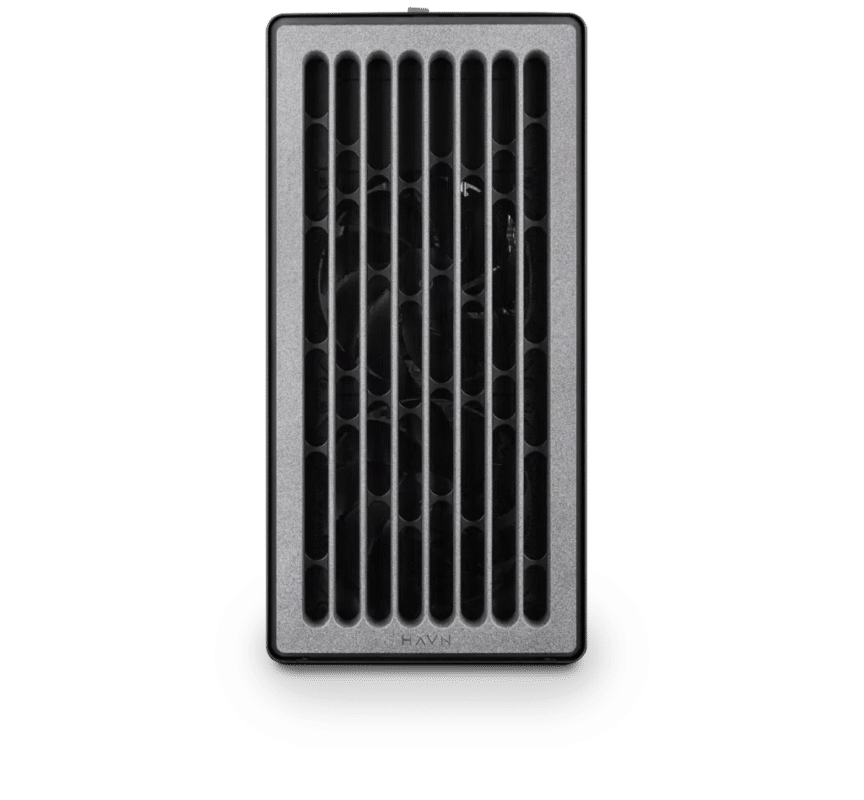
Electron · NVIDIA RTX PRO 4000 Blackwell 24GB
HD and single-stream 4K editing on Avid DNx. 128GB of memory and a 24GB professional card.
£9,305 inc VAT
Built to order · build time 5–7 working days1
Electron · NVIDIA RTX PRO 5000 Blackwell 48GB
Multistream UHD with colour adapters and effects. Twice the GPU memory of Standard.²
£14,875 inc VAT
Built to order · build time 5–7 working days1
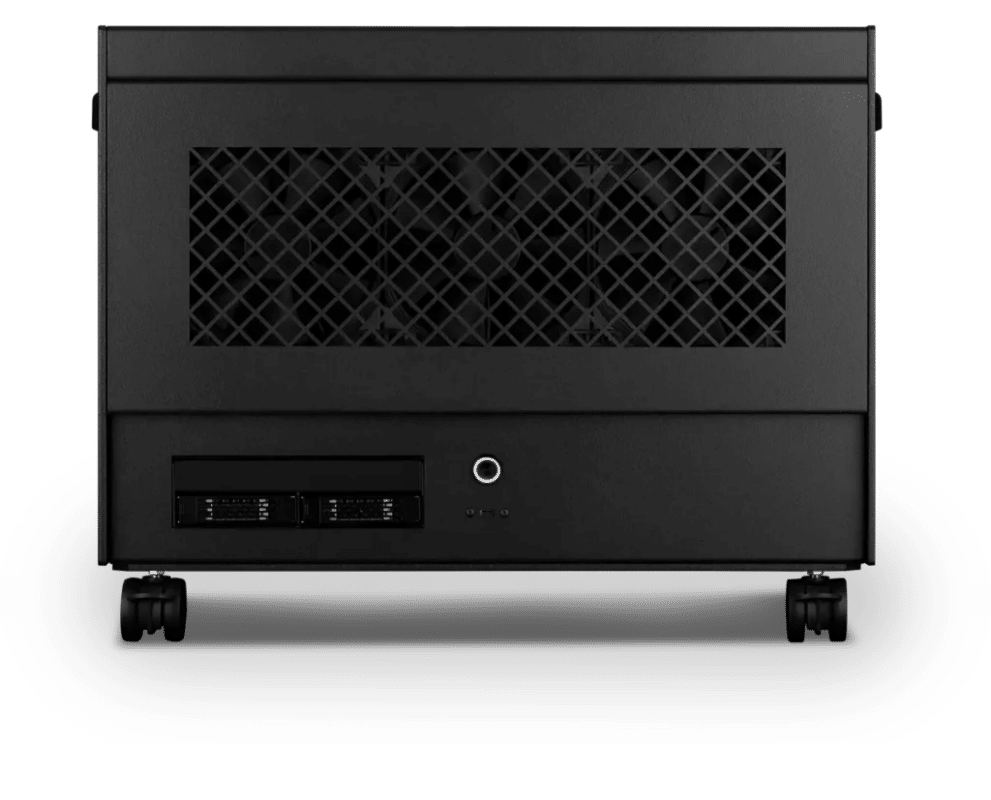
Atom · NVIDIA RTX PRO 5000 Blackwell 48GB
8K projects and heavy capture: 64-core workstation processor and 256GB, meeting Avid's 8K guidance with twice its memory minimum.¹ ²
£30,425 inc VAT
Built to order · build time 7–10 working days1
Each recommended system is a starting point. Select Customise to add components or change the specification before you order.
1 Working days, when all parts are in stock. If a part is delayed, we confirm your dispatch date before your order goes ahead.

Avid Media Composer is, in Avid's words, the professional video editing software trusted by film, TV and news studios. It is built for large, shared projects: a database engine tracks media across drives and servers, bin locking lets editors and assistants work in the same project at once, and multicam groups 64 cameras in one clip.
Avid's own codec family, Avid DNx, runs from offline to finishing. Other formats are linked through AMA plug-ins, which Avid describes as processor-intensive, with minimal real-time performance for highly compressed codecs such as H.264. Avid sets its hardware guidance by feature and format in the Media Composer ReadMe.
Avid and Media Composer are trademarks of Avid Technology, Inc. Renderboxes is not affiliated with or endorsed by Avid.
A database engine tracks millions of assets and keeps media linked as projects move between drives and servers.
Bin locking lets several editors and assistants work in one project at once, on Avid NEXIS or third-party shared storage.
ScriptSync AI and PhraseFind AI search spoken dialogue across hundreds of hours of footage.

Media is brought in, organised and cut, then finished and handed on. Avid's guidance puts the heaviest load on processor cores and memory, with professional graphics for colour adapters.
Capture a live feed through an I/O device, or link camera files through AMA. Avid lists 24-core Windows systems for AVC-Intra capture with software codecs.
Multicam clips are synced by waveform and timecode, then logged and organised in bins.
Editors cut across many streams. For four streams of UHD XAVC-I at 59.94p with colour adapters, Avid asks for 64GB of memory and recommends 96GB.
Grade with the built-in Symphony toolset or round-trip to an external suite. Avid's qualified systems for multistream UHD colour adapters use professional NVIDIA or AMD graphics.
Export masters, send audio to Pro Tools with timelines and automation intact, or hand off to finishing.
Avid sets memory by feature: more streams, higher resolution and background work all raise it.
Avid recommends 32GB generally, 96GB for four streams of UHD XAVC-I at 59.94p and at least 128GB for 8K projects.¹
Matters most
Avid describes many features, including AMA linking and AVC-Intra playback, as processor-intensive.
Avid's guidance rises with resolution: 56 or more virtual cores for multistream UHD, and 64 or more cores for 8K projects.¹
Matters most
Part of Avid's recommended systems for multistream UHD with colour adapters, and used by the RED plug-in.
Avid's lists name professional NVIDIA and AMD cards, so every build uses NVIDIA RTX PRO graphics.
Matters a lot
Media often sits on Avid NEXIS shared storage, with local NVMe drives for projects.
Avid's multistream UHD guidance assumes 10 to 40 Gb Ethernet to Avid NEXIS, so networking matters as much as local drives.
Matters a lot
A DeckLink or Avid Artist I/O device captures feeds and drives a monitor.
Blackmagic lists Avid Media Composer among the applications DeckLink works with, and Avid lists its Artist I/O devices by minimum version.
Matters

Avid's ReadMe sets memory by feature and format rather than by a single figure. Multistream UHD and 8K need several times the general recommendation.
Standard has 128GB, above Avid's recommended figure for four streams of UHD XAVC-I. Studio has 256GB, twice Avid's minimum for 8K projects.¹ ²
1. Avid Media Composer v2026.8 ReadMe, Minimum RAM Recommendation and Feature Performance. Avid's guidance for qualified systems, not Renderboxes tests.
Offline and online editing of features with large crews.
Bin locking keeps editors and assistants in one project without overwriting cuts.
Series cut by several editors across many episodes.
Shared projects run on Avid NEXIS or third-party shared storage.
Fast turnaround from live feeds and rundowns.
Media Composer integrates with MediaCentral to cut against live rundowns.
Hundreds of hours of material, searched with ScriptSync AI and PhraseFind AI.
Avid lists 24GB of memory as the minimum for these AI features.
Many cameras grouped and switched in one sequence.
Avid recommends 32GB for HD Long GOP nine-way multicam.
Grading and conform at the end of the edit.
Full ACES and 32-bit float support, with the built-in Symphony toolset.
Avid's ReadMe sets memory, processor and storage by what you are doing. These are the entries that matter most when choosing a machine.³ 1. Avid Media Composer v2026.8 ReadMe, Feature Performance and Minimum RAM sections. Avid's guidance for qualified systems; these builds are not on Avid's qualified list. 2. Comparisons are of GPU memory or system memory between Renderboxes builds or against Avid's published figures, not speed. 3. Avid Media Composer v2026.8 ReadMe. Format support depends on the Media Composer version and installed AMA plug-ins.
| Avid's figure or note | Avid's recommended system | |
|---|---|---|
| Avid DNx (DNxHD and DNxHR) | Grouped as Avid DNx LB, SQ, HQ, HQX and 444 from v2026.8 | Media Composer applies the right encoding for the project |
| UHD XAVC-I, 59.94p, four streams with colour adapters | 64GB minimum, 96GB recommended | 56+ virtual cores, or a 32- or 64-core Threadripper; 10 to 40 Gb Ethernet to NEXIS |
| UHD DNxHR, 59.94p | 32GB minimum, 64GB recommended | 56+ virtual cores, or a 32- or 64-core Threadripper; 10 to 40 Gb Ethernet to NEXIS |
| 8K projects | 128GB minimum | 64+ core processor with NVIDIA or AMD graphics |
| H.264 and other highly compressed codecs via AMA | Processor-intensive; minimal real-time performance | High-end systems for heavy use |
| RED R3D via AMA | Processor-intensive | RED plug-in uses the graphics processor |
| AVC-Intra capture | Software codecs | 24-core and higher Windows systems only |
Share your Media Composer version, codecs, resolution and any shared storage you use. We will review the right configuration and confirm availability before you order.
Linking gets you started quickly, but Avid describes AMA as processor-intensive and says highly compressed codecs such as H.264 show minimal real-time performance. Transcoding to Avid DNx puts the edit on Avid's own codec. Media Composer can also edit with lightweight proxies and relink to camera originals for the conform.
From v2026.8, they are grouped as Avid DNx LB, SQ, HQ, HQX and 444. You choose the flavour and Media Composer applies the correct encoding for the project. DNx exports in MOV and MP4 can be 8-, 10- or 12-bit, and existing DNxHD and DNxHR media works without changes.
Only if several editors share media and projects. Shared projects work with Avid NEXIS and now with third-party shared storage. Avid's multistream UHD guidance assumes 10 to 40 Gb Ethernet to NEXIS, and v2026.8 needs Avid NEXIS Client 2026.6.
Windows 11 Pro. Avid qualifies Windows 11 64-bit, version 22H2 or later, Professional and Enterprise editions, in its v2026.8 ReadMe.
No. Avid qualifies complete systems, and the graphics cards in its v2026.8 ReadMe do not include Blackwell cards. If your facility or support contract requires a qualified system, tell us before you order.
Avid's v2026.8 ReadMe asks for at least 128GB of memory and a processor with 64 or more cores, with NVIDIA or AMD graphics, for 8K projects. Studio meets both, with a 64-core Threadripper 9980X and 256GB.
Blackmagic lists Avid Media Composer among the applications DeckLink cards work with on Windows and Mac. Avid's ReadMe refers qualification of third-party Open IO hardware to the manufacturer's documentation, so check with us for your version.
Standard suits HD and single-stream 4K editing. Heavy adds a 48GB card for multistream UHD work. Studio is for 8K projects and capture work that needs more cores.
Avid’s ReadMe does not address multiple GPUs (Avid ReadMe), so each configuration here has one card. A larger facility usually needs more seats and shared storage rather than a bigger machine.
Not sure which build is right? Speak to our team and we will help you choose the right configuration for your work.


Tell us what you are working on and we will recommend a configuration.
Contact us

Offline · Mon–Fri, 9am–5pm UK
Our engineers are online. Ask about a build, a quote or an order and we will answer here.