GPU memory
Holds the texture sets, layers and channels you are working on.
Adobe recommends 16GB and lists 24GB as optimal.¹ For UV tile work it advises a card with 8GB or more.
Matters most



Substance 3D Painter works in a real-time viewport on the graphics card, and Adobe's requirements step GPU memory from 8GB to 24GB. We build each workstation around one strong card, then set it up and test it before it ships.
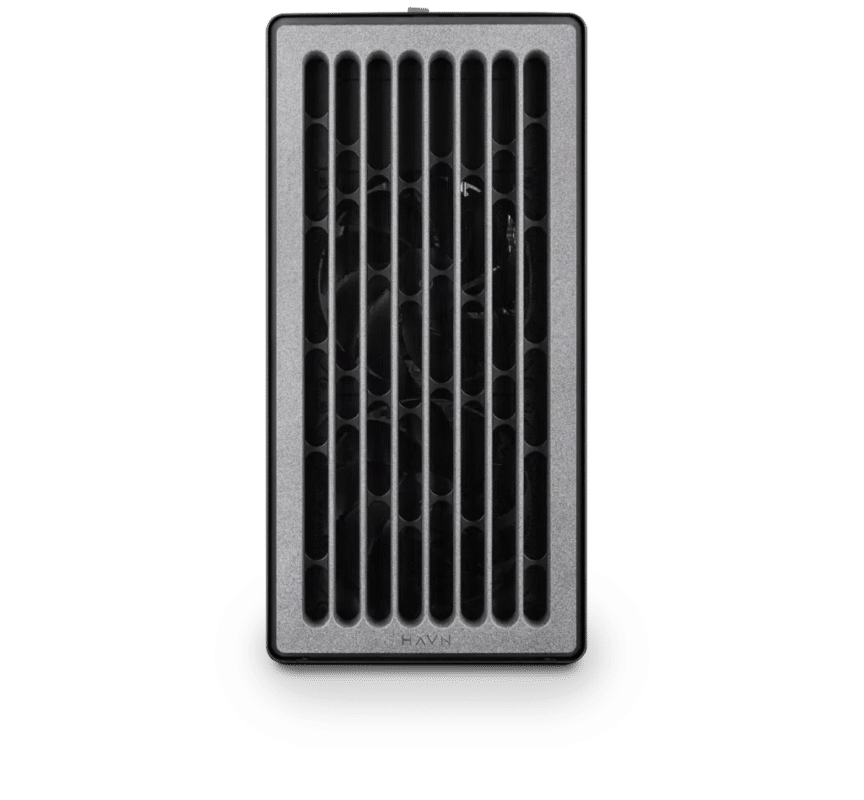
Electron · NVIDIA RTX PRO 4500 32GB
One artist with 4K texture sets: a 32GB card, above Adobe's optimal GPU memory figure, and a 16-core processor for bakes.¹
£10,995 inc VAT
Built to order · build time 5–7 working days1
Electron · NVIDIA RTX PRO 5000 48GB
Film and hero assets with 8K sets and many UV tiles: a 48GB card, half as much again GPU memory as Standard.²
£14,875 inc VAT
Built to order · build time 5–7 working days1
Each recommended system is a starting point. Select Customise to add components or change the specification before you order.
1 Working days, when all parts are in stock. If a part is delayed, we confirm your dispatch date before your order goes ahead.

Substance 3D Painter is Adobe's texturing software, which Adobe calls the industry's standard texturing software. Artists paint directly on a 3D model with parametric brushes, and smart masks and materials apply surface detail from subtle dusting to extreme wear and tear, in any style from photorealism to stylised art. Every action and stroke is recorded and can be recomputed at any time.
Painter's viewport shows the material in real time on the graphics card, with lighting and shadows, and Adobe's GPU memory tiers run from 8GB minimum to 24GB optimal. Baking turns a detailed model into maps that a lighter one can use, and most of Adobe's current bakers, including normal, ambient occlusion and curvature, support GPU ray tracing on NVIDIA cards.
So for Painter the GPU and its memory come first. Adobe lists the same hardware tiers for Substance 3D Designer, its companion application, so the same machine serves both.
Adobe and Substance 3D are trademarks or registered trademarks of Adobe in the United States and other countries. Renderboxes is not affiliated with or endorsed by Adobe.
Paint on the model, across multiple UV tiles, and see the result in real time with lighting and shadows.
Smart masks and materials apply realistic surface detail, from subtle dusting to extreme wear and tear.
Export to any renderer or game engine, with custom export presets for your pipeline.

A typical asset from import to export. Painting, previewing and most baking load the GPU.
Bring in the model with its UVs. Painter supports multi-tile painting (UDIMs) for detailed assets, and imported models need no special preparation.
Most of Adobe's current bakers, including normal, ambient occlusion, curvature and thickness, support GPU ray tracing on NVIDIA cards from the Pascal generation onwards. Normal world space and low-poly position do not.
Painter is non-destructive: every action and stroke is recorded and can be recomputed at any time, even at a new resolution. GPU memory holds the texture sets you are working on.
The viewport shows the material in real time with lighting and shadows. The built-in Iray renderer produces presentation images on NVIDIA GPUs.
Maps are written out through export presets for the target engine or renderer. Adobe recommends an SSD for the project and the application cache.
Holds the texture sets, layers and channels you are working on.
Adobe recommends 16GB and lists 24GB as optimal.¹ For UV tile work it advises a card with 8GB or more.
Matters most
Draws the real-time viewport, runs GPU ray-traced bakes and renders Iray images.
Adobe does not support integrated graphics on desktop processors; its optimal tier pairs 24GB of GPU memory with a top-end card.
Matters a lot
Holds the project and the other applications you keep open.
Adobe recommends 32GB and lists 64GB as optimal;¹ it advises 32GB for UV tile work.
Matters
Runs the application and exports.
Adobe's optimal tier is a top-end desktop processor; our builds use a 16-core desktop processor.
Matters
Adobe's requirements list a single GPU and document no benefit from a second.
Adobe asks you to disable SLI or Crossfire; spend on memory on one card rather than adding a second.
Matters least

Adobe publishes three tiers of GPU memory for Painter on Windows: 8GB minimum, 16GB recommended and 24GB optimal.
Both builds sit above Adobe's optimal figure, with 32GB in Standard and 48GB in Heavy.¹
1. Adobe's published system requirements for Substance 3D Painter on Windows, November 2026. Actual use depends on texture resolution, the number of texture sets and channels.
Characters, weapons, vehicles and props for game engines.
Export presets fit Painter's maps to each engine.
Hero assets across many UV tiles.
Painter is compliant with the VFX Reference Platform and supports UDIMs.
Material studies and colourways for design reviews.
Iray presentation renders run on NVIDIA GPUs.
Where each Substance 3D Painter task does its work, from Adobe's documentation. 1. Published guidance from the software maker, or approximate figures, not Renderboxes tests. Actual needs depend on your scenes. 2. Comparisons are of GPU memory or the number of GPUs between Renderboxes builds, not speed.
| Does its work on | From Adobe | |
|---|---|---|
| Viewport | The GPU | Real time, with lighting and shadows |
| Most mesh-map bakes | The GPU, with ray tracing | NVIDIA Pascal or newer |
| Normal world space and low-poly position bakes | Without GPU ray tracing | Not GPU ray traced |
| Iray renders | NVIDIA GPUs | Built into Painter |
| UV tile projects | GPU and system memory | 8GB card and 32GB memory advised |
| Project and cache | Storage | SSD advised for both |
Share your Substance version, the texture resolutions you work at, the other applications you run and what slows you down. We will review the right configuration and confirm availability before you order.
Mostly the GPU. In Adobe's current bakers, ambient occlusion, bent normal, colour, curvature, height, normal, opacity, position, thickness and transferred texture support GPU ray tracing on NVIDIA cards from the Pascal generation onwards. Normal world space and low-poly position do not. GPU ray tracing can be turned off in the preferences if you run into issues.
Yes. Painter has a VRAM budget, set through an environment variable or a command-line option, that caps how much GPU memory it uses. It is useful when another application needs the card at the same time.
Yes. Adobe advises 32GB of system memory, a card with 8GB or more and an SSD for UV tile workflows. Both builds exceed that.
Iray is a renderer built into Painter for presentation images. It runs on NVIDIA GPUs, so the same card that paints also renders your turntables and stills; Adobe notes that older, unsupported cards fall back to the processor.
Adobe's requirements list a single GPU and document no benefit from a second, and its multi-GPU troubleshooting page asks you to disable SLI or Crossfire. Spend the budget on GPU memory on one card instead.
Adobe's minimum is 8GB, its recommendation 16GB and its optimal figure 24GB. Standard's 32GB card is twice the recommendation, and Heavy's 48GB card has half as much again as Standard.
Less than the GPU. Adobe's optimal tier is a top-end desktop processor, and the processor runs the application and exports. Both builds use a 16-core desktop processor.
No. Adobe lists the same minimum and recommended figures for Designer as for Painter (Adobe system requirements), so these configurations suit both.
Standard suits a single artist on a budget, with twice Adobe's 16GB GPU memory recommendation. Heavy suits a professional or freelancer working with 8K texture sets, with half as much again GPU memory as Standard.
Not sure which build is right? Speak to our team and we will help you choose the right configuration for your work.


Tell us what you are working on and we will recommend a configuration.
Contact us

Offline · Mon–Fri, 9am–5pm UK
Our engineers are online. Ask about a build, a quote or an order and we will answer here.