A detailed 3D scan of a weathered marble statue head in profile, half of it rendered as a fine glowing wireframe mesh

RealityScan workstations for photogrammetry

RealityScan builds detailed 3D models from photos and laser scans. It can register images without a GPU but needs one for models and textures, so we size these machines around processor cores and memory first, with a strong NVIDIA card for reconstruction.

Chat with our team

Recommended configurations

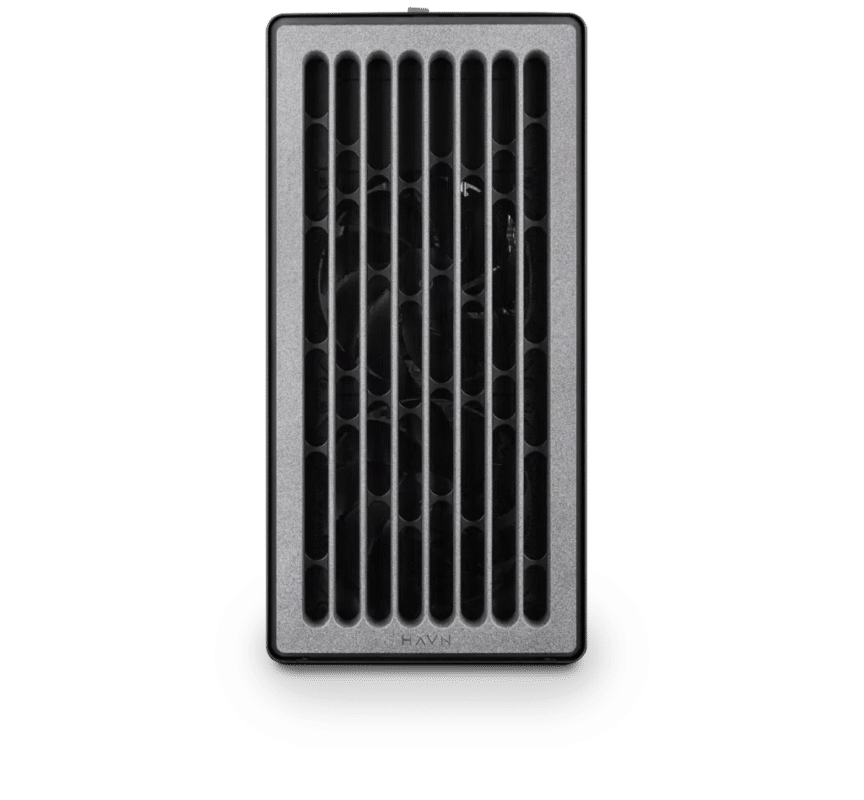
Front on view of Renderboxes Electron Early 2026 Workstation
Standard

RealityScan – Standard

Electron · NVIDIA RTX PRO 4500 32GB

Object scans and small to medium photo sets: 128GB and a 32GB card for meshing and texturing.

  • CPU: AMD Ryzen 9 9950X3D
  • RAM: 128GB DDR5 5600MT/s (2x64GB)
  • PCIe 1 (x16): NVIDIA RTX PRO 4500 Blackwell 32GB
  • NVMe Storage (Gen 5.0): M.2 NVMe Gen 5 2TB
  • Operating System: Microsoft Windows 11 Pro

£10,995 inc VAT

Built to order · build time 5–7 working days1

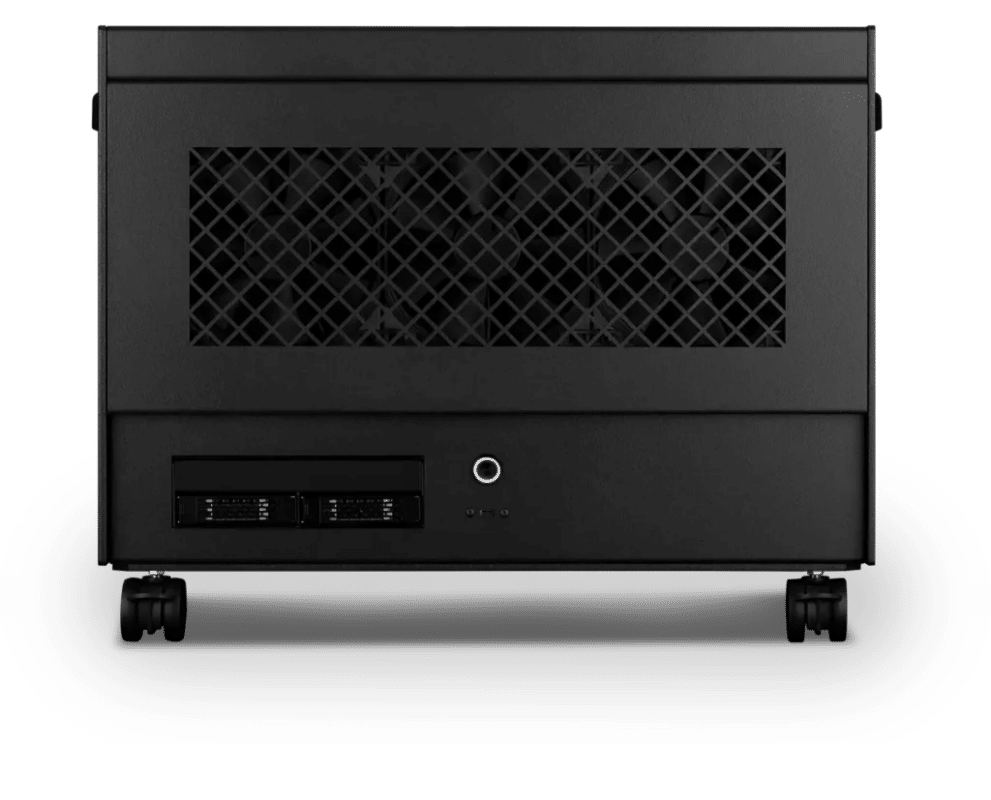
Front on view of Renderboxes Atom Workstation
Heavy

RealityScan – Heavy

Atom · 2× NVIDIA RTX PRO 4500 32GB

Large image sets: 32 cores, twice the memory of Standard and two 32GB cards for reconstruction.²

  • Motherboard: Gigabyte TRX50 AI TOP (4 × PCIe slots, 10GbE)
  • CPU: AMD Ryzen Threadripper 9970X 32 Core
  • RAM: 4 × 64GB RDIMM ECC DDR5 6400
  • PCIe slots (16x): 2 × NVIDIA RTX PRO 4500 Blackwell 32GB
  • NVMe M.2 Drives (Gen 5): M.2 NVMe Gen 5 4TB
  • Operating System: Microsoft Windows 11 Pro

£29,245 inc VAT

Built to order · build time 7–10 working days1

Front on view of Renderboxes Atom Workstation 2 GPUs in one workstation
Studio

RealityScan – Studio

Atom · 2× NVIDIA RTX PRO 5000 48GB

The largest projects and laser scan merges: 64 cores, four times the memory of Standard and two 48GB cards.²

  • Motherboard: Gigabyte TRX50 AI TOP (4 × PCIe slots, 10GbE)
  • CPU: AMD Ryzen Threadripper 9980X 64 Core
  • RAM: 4 × 128GB RDIMM ECC DDR5 6400
  • PCIe slots (16x): 2 × NVIDIA RTX PRO 5000 Blackwell 48GB
  • NVMe M.2 Drives (Gen 5): M.2 NVMe Gen 5 4TB
  • Operating System: Microsoft Windows 11 Pro

£54,685 inc VAT

Built to order · build time 7–10 working days1

Each recommended system is a starting point. Select Customise to add components or change the specification before you order.

1 Working days, when all parts are in stock. If a part is delayed, we confirm your dispatch date before your order goes ahead.

RealityScan logo

What is RealityScan?

RealityScan is Epic Games' photogrammetry software, known until 2025 as RealityCapture. It takes overlapping photos, laser scans or both, works out where every camera and scanner was, and reconstructs the scene as a detailed, textured 3D model.

Game developers, film and TV studios, geospatial teams and architects, engineers and builders use it to turn real objects and places into digital assets. A command-line interface lets studios run it as part of an automated pipeline.

The work splits between processor and GPU. Images can be registered without a GPU; models and textures need a compatible one. Most steps work out-of-core, and meshing, colouring and texturing are fully out-of-core, so large projects run on ordinary amounts of memory.

RealityScan, RealityCapture and Unreal Engine are trademarks of Epic Games, Inc. Renderboxes is not affiliated with or endorsed by Epic Games.

Why 3D artists and surveyors choose RealityScan

  1. Photos and laser scans together

    Combine terrestrial laser scans with photos in one project for accurate geometry and photographic texture.

  2. Large projects, modest memory

    Meshing, colouring and texturing run fully out-of-core, so very large image sets still process on a workstation.

  3. Survey outputs

    Ground control points, orthographic projections and DSM and DTM exports for mapping work.

Diagram: Import, then Align, then Reconstruct, then Simplify, then Texture, then Export

How a RealityScan project runs

The usual path from photos to a finished asset. Registration runs without a GPU; reconstruction and texturing need one.

  1. Import

    Load photos, laser scans and any ground control points.

  2. Align

    RealityScan detects features in each image and solves where every camera was. This runs without a GPU, and memory grows with image count and features per image.

  3. Reconstruct

    Depth is computed and merged into a high-detail mesh. This needs a compatible GPU.

  4. Simplify and unwrap

    Make lighter versions of the mesh for games, real-time or web, and lay out texture space.

  5. Texture

    Colour from the photos is projected onto the mesh. Without a compatible GPU, models and textures cannot be created.

  6. Export

    Export models and textures to other tools, or export orthographic projections and DSM or DTM data for mapping.

What each part of the machine does for RealityScan

Processor cores

Runs image registration, which works without a GPU, and the stages not run on the GPU.

Epic requires a 64-bit processor with AVX2 and recommends at least four cores. The larger builds step up in core count for big image sets.

Matters most

GPU

Needed for meshing and texturing. Without one, RealityScan can align images but cannot build models.

Epic requires NVIDIA CUDA compute capability 3.5 or later and recommends 6.1 or later. Version 2.2 added AMD Radeon support on Windows.¹

Matters a lot

System memory

Alignment of large image sets grows with the number of images and features per image.

Epic's minimum is 8GB, and 16GB is typically enough for thousands of high-resolution images with the Component Workflow. More memory keeps big alignments and laser scan projects comfortable.¹

Matters

Fast storage

Out-of-core processing reads and writes working data on disk.

Epic recommends fast NVMe solid-state drives.

Matters

Number of GPUs

A second card shares reconstruction work.

From version 2.2, RealityScan splits GPU work across every supported GPU in parallel.

Matters least

What studios and surveyors use it for

Game and VFX assets

Photoreal props, rocks, buildings and environments.

Simplify, unwrap and texture inside RealityScan, then export the model.

People and digital doubles

Process images from multi-camera capture rigs.

The command line batches hundreds of captures the same way.

Cultural heritage

Detailed records of buildings, monuments and objects.

Laser scans and photos combine for accuracy and colour.

Aerial mapping

Orthophotos and elevation data from drone photos.

Ground control points tie the model to real coordinates.

Laser scan registration

Align and mesh terrestrial scanner data.

Laser scans import directly, and meshing runs fully out-of-core.

Automated pipelines

Run RealityScan from scripts with its command-line interface.

Turn a capture into a finished asset without manual steps.

Tell us what you need for RealityScan

Share your typical image count, camera resolution and project size. We will review the right configuration and confirm availability before you order.

This field is for validation purposes and should be left unchanged.

Frequently asked questions

Yes. Epic renamed RealityCapture to RealityScan in 2025, with version 2.0 unifying the desktop application under the RealityScan name.

Models and textures need a compatible GPU. Until version 2.2 that meant an NVIDIA CUDA card; 2.2 added AMD Radeon support on Windows. We supply NVIDIA cards, which every version supports.

Alignment memory depends on the number of images and features per image, not their resolution. Epic notes that lowering the features per image from 40,000 to 20,000 roughly doubles the number of images that fit in the same memory.¹

There is a Linux version, but Epic recommends it only for command-line workflows. For desktop use RealityScan runs on Windows.

Epic requires a processor with AVX2 and recommends at least four cores (Epic Games). RealityScan can register images without a GPU, so the processor matters throughout. Heavy and Studio move to 32 and 64 cores for large image sets.

From version 2.2, RealityScan splits GPU work across every supported GPU in parallel (Epic Games). Heavy and Studio both have two cards.

Epic's minimum is 8GB, and 16GB is typically enough for thousands of high-resolution images with the Component Workflow (Epic Games). Alignment memory depends mainly on the number of images and features per image. The range runs from 128GB to 512GB for large image sets and laser scan projects.

Standard suits small and medium projects. Heavy moves to 32 cores, 256GB and two 32GB cards for large image sets. Studio is for the largest projects, with 64 cores, 512GB and two 48GB cards.

Yes. Press Customise and the configurator opens with this build already selected. You can change any part except the chassis, such as more storage or more memory, and the price updates as you go.

Talk to someone at Renderboxes

Not sure which build is right? Speak to our team and we will help you choose the right configuration for your work.

Phone icon

Request a callback

Book a time that suits you and one of our team will call you.

BOOK A CALL
Mail icon

Send us an enquiry

Tell us what you are working on and we will recommend a configuration.

Contact us
Fast response team icon

Customer care phone

Call us for instant support

0800-955-RNDR (7637)

Mon-Fri, 9 AM - 5 PM