A riverside park with trees, a footbridge and a city skyline at golden hour

Lumion workstations for architectural rendering

Lumion renders on one graphics card, and Lumion calls a powerful card the most crucial part of the machine. We size each machine from Lumion's own high-end tier upwards, with a fast processor to keep the card fed.

Chat with our team

Recommended configurations

Renderboxes Photon Workstation
Standard

Lumion – Standard

Photon · NVIDIA RTX PRO 2000 16GB

One designer on small and medium scenes, with a 16GB card that meets Lumion's high-end GPU memory tier.¹

  • Motherboard: Gigabyte X870I AORUS PRO ICE (1 × PCIe slot)
  • CPU: AMD Ryzen 9 9950X3D
  • RAM: 64GB DDR5 6000MT/s (2x32GB)
  • PCIe 1 (x16): NVIDIA RTX PRO 2000 Blackwell 16GB
  • NVMe Storage (Gen 5.0): M.2 NVMe Gen 5 2TB
  • Operating System: Microsoft Windows 11 Pro

£5,955 inc VAT

Built to order · build time 5–7 working days1

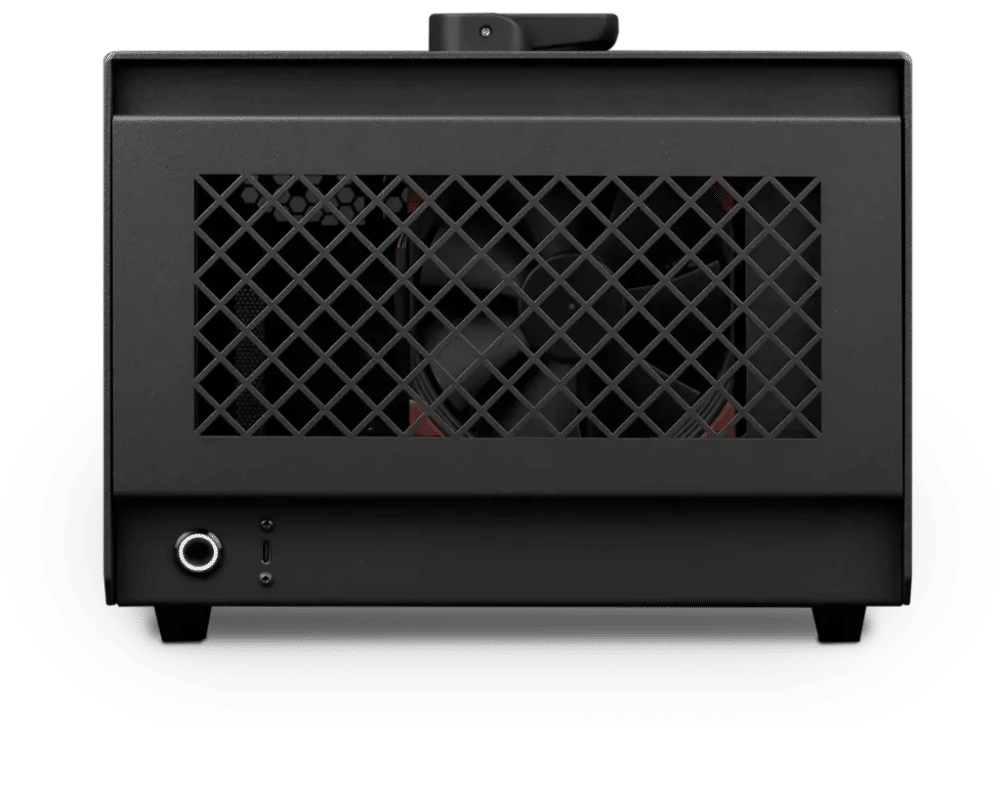
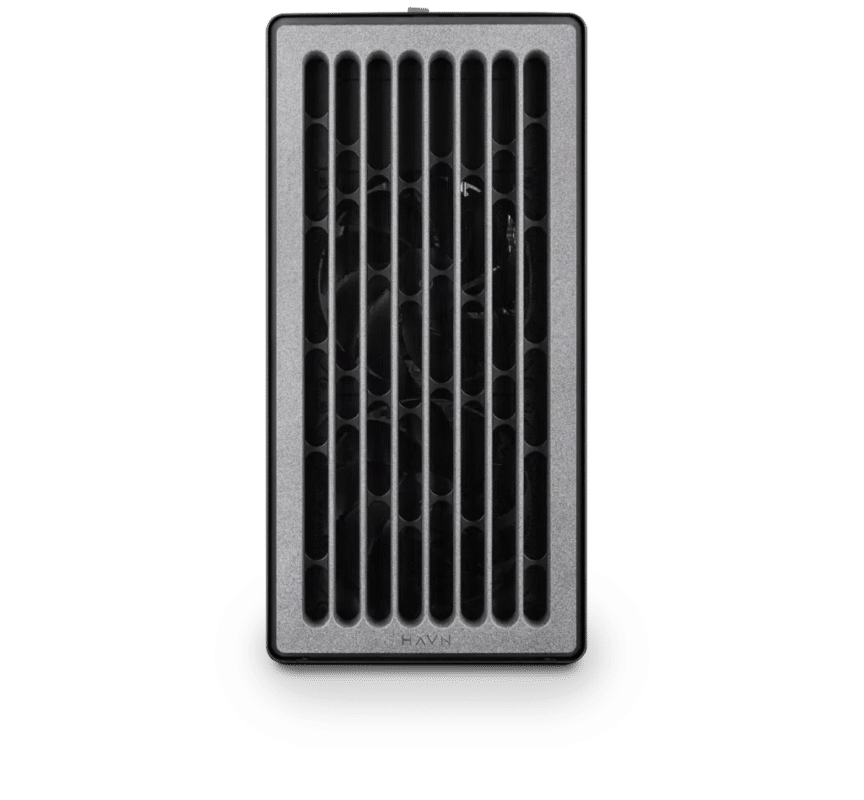
Front on view of Renderboxes Electron Early 2026 Workstation
Heavy

Lumion – Heavy

Electron · NVIDIA RTX PRO 5000 48GB

Professional work on detailed scenes and 4K film, with three times the GPU memory of Standard.²

  • CPU: AMD Ryzen 9 9950X3D
  • RAM: 128GB DDR5 5600MT/s (2x64GB)
  • PCIe 1 (x16): NVIDIA RTX PRO 5000 Blackwell 48GB
  • NVMe Storage (Gen 5.0): M.2 NVMe Gen 5 4TB
  • Operating System: Microsoft Windows 11 Pro

£14,875 inc VAT

Built to order · build time 5–7 working days1

Front on view of Renderboxes Electron Early 2026 Workstation 96GB for complex scenes
Studio

Lumion – Studio

Electron · NVIDIA RTX PRO 6000 Workstation Edition 96GB

Very large landscapes and complex ray-traced scenes, with twice the GPU memory of Heavy.²

  • CPU: AMD Ryzen 9 9950X3D
  • RAM: 128GB DDR5 5600MT/s (2x64GB)
  • PCIe 1 (x16): NVIDIA RTX PRO 6000 Blackwell Workstation 96GB
  • NVMe Storage (Gen 5.0): M.2 NVMe Gen 5 4TB
  • Operating System: Microsoft Windows 11 Pro

£22,425 inc VAT

Built to order · build time about 40–42 working days1

Each recommended system is a starting point. Select Customise to add components or change the specification before you order.

1 Working days, when all parts are in stock. If a part is delayed, we confirm your dispatch date before your order goes ahead.

Lumion logo

What is Lumion?

Lumion is real-time 3D rendering software for building architecture, landscape architecture, interior design and urban planning. You bring in a model from SketchUp, Revit, Archicad, Rhino or another design tool, then place it in context with terrain, nature, people and objects from a library of more than 8,000 assets.

The free LiveSync plug-in keeps Lumion connected to the modelling application, so changes to the design update in the scene straight away. When the scene is ready, Lumion renders images, videos and 360-degree panoramas, with optional real-time ray tracing for light, reflections and shadows.

The emphasis is on speed and simplicity: Lumion describes a clean interface and straightforward controls that let designers move fast, even if they are new to rendering.

Lumion is a trademark of Act-3D B.V. Renderboxes is not affiliated with or endorsed by Lumion.

Why designers choose Lumion

  1. A ready-made world

    More than 8,000 assets, including nature, characters and objects, put a building in context quickly.

  2. Connected to the model

    LiveSync links Lumion to the design tool, so the scene follows the design.

  3. Fast to results

    Straightforward controls and real-time feedback let designers produce images without a specialist.

Diagram: Import model, then Build the scene, then Materials, light, then Set up shots, then Render

How a Lumion render comes together

From model to finished image or film. The highlighted stages are where the graphics card carries the load.

  1. Bring in the model

    Import the model, or link it with LiveSync. Lumion recommends a fast processor alongside a fast graphics card.

  2. Build the scene

    Add terrain, nature, people and objects from the library. Every object and texture takes GPU memory.

  3. Set materials and light

    Choose materials, lighting and effects, with optional ray tracing on a card that supports it. The editor view is drawn by the graphics card in real time.

  4. Set up shots

    Place cameras for stills and paths for video. Effects and post-processing are set per shot.

  5. Render

    Lumion renders each image or frame on the graphics card. Rendering at 4K, or ray tracing at 1080p, needs at least 8GB of GPU memory.

What each part of the machine does for Lumion

GPU memory and speed

Lumion calls a powerful graphics card the most crucial component. Its memory holds the scene; its speed sets how quickly each frame renders.

Lumion's high-end tier asks for a 16GB card for ultra-complex projects.¹ Our Heavy and Studio builds go well beyond that.

Matters most

Processor clock speed

Feeds the graphics card and handles importing and LiveSync.

Lumion asks for as high a clock speed per thread as possible, and its high-end guidance is a processor above 4.0GHz with 8 cores.¹ A slow processor holds back even a fast card.

Matters a lot

System memory

Holds the model as it loads and the modelling application running alongside.

Lumion's high-end tier lists 64GB or more.¹

Matters

Fast storage

Holds Lumion, its content library and your projects.

Lumion asks for at least 105GB free, and recommends a fast drive such as an NVMe SSD.¹

Matters

Number of GPUs

Lumion renders on one card: the one connected to the monitor the Lumion window starts on.

Lumion states that several cards do not boost performance or render speed.

Matters least

What designers use it for

Planning and competition images

Show a scheme in its real setting, from street level or from the air.

Context and planting make the design easy to read.

Fly-through films

Animate a camera through a site or building, with animated characters.

Clients and planning committees see the scheme as a visitor would.

Landscape and urban design

Shape terrain and place planting across a whole site.

Lumion can import real site topography from OpenStreetMap and cover large areas with planting in one move.

Lumion's own hardware tiers

Lumion publishes three tiers for Lumion Pro. Our Standard build meets the high-end tier for GPU memory, and Heavy and Studio go well beyond it.³ 1. Lumion's published hardware guidance, not Renderboxes tests. Actual use depends on scene size, effects and output resolution. 2. Comparisons are of GPU memory between Renderboxes builds, not speed. 3. Lumion's published tiers for Lumion Pro, November 2026. G3DMark and CPUMark are PassMark scores; check Lumion's current guidance before you buy.

Graphics card Processor, single thread System memory
Minimum, simple projects 6GB, G3DMark 8,000 or more CPUMark 2,200 or more 16GB
Recommended, complex projects 10GB, G3DMark 14,000 or more CPUMark 2,600 or more 32GB
High-end, ultra-complex projects 16GB, G3DMark 22,000 or more CPUMark 3,000 or more 64GB

Tell us what you need for Lumion

Share your Lumion version, the size of your projects, your output resolution and what slows you down. We will review the right configuration and confirm availability before you order.

This field is for validation purposes and should be left unchanged.

Frequently asked questions

Lumion uses only the card connected to the monitor the Lumion window starts on. Our machines for Lumion use one powerful card, so there is nothing to set up.

Yes. Lumion recommends pairing a fast graphics card with a fast processor, with as high a clock speed per thread as possible, and its high-end guidance is a processor above 4.0GHz. A slow processor leaves a fast card waiting.

Lumion asks for at least 105GB free on the drives that hold your Windows user account and Documents folder, and recommends a fast drive such as an NVMe SSD. Large projects and rendered films need more on top.

Yes, and LiveSync relies on it: the free plug-in keeps the model connected while you work in both. Both applications share the machine, so allow for the modelling application as well when choosing memory.

Lumion asks for a dedicated NVIDIA or AMD graphics card, among others, and the optional ray tracing needs a card that supports it (Lumion support). Its requirements are set by performance scores and memory rather than certification: graphics card performance matters most, then the amount of memory.

No. Lumion can use only one graphics card, so the budget is better spent on a single faster card with more memory.

Lumion asks for 6GB at minimum, 10GB recommended and 16GB for its high-end tier. Rendering at 4K, or ray tracing at 1080p, needs at least 8GB (Lumion system requirements).

Standard meets Lumion’s high-end VRAM line and suits students and smaller projects. Heavy, with the NVIDIA RTX PRO 5000 48GB, suits most professional work. Studio is for very complex scenes that outgrow 48GB of GPU memory.

Lumion 2026 needs Windows 10 version 2004 or newer, or Windows 11 version 24H2 or newer, and Lumion recommends moving to Windows 11 now that Windows 10 has reached end of life (Lumion support). Our configurations ship with Windows 11 Pro.

Talk to someone at Renderboxes

Not sure which build is right? Speak to our team and we will help you choose the right configuration for your work.

Phone icon

Request a callback

Book a time that suits you and one of our team will call you.

BOOK A CALL
Mail icon

Send us an enquiry

Tell us what you are working on and we will recommend a configuration.

Contact us
Fast response team icon

Customer care phone

Call us for instant support

0800-955-RNDR (7637)

Mon-Fri, 9 AM - 5 PM