A dark gallery room filled with flowing projected light patterns on the floor and walls, visitors silhouetted

TouchDesigner workstations for live, interactive work

TouchDesigner's main thread runs on one CPU core and its image operators run on the GPU, so clock speed and the graphics card come first. For more outputs, we add GPUs and run one TouchDesigner process on each.

Chat with our team

Recommended configurations

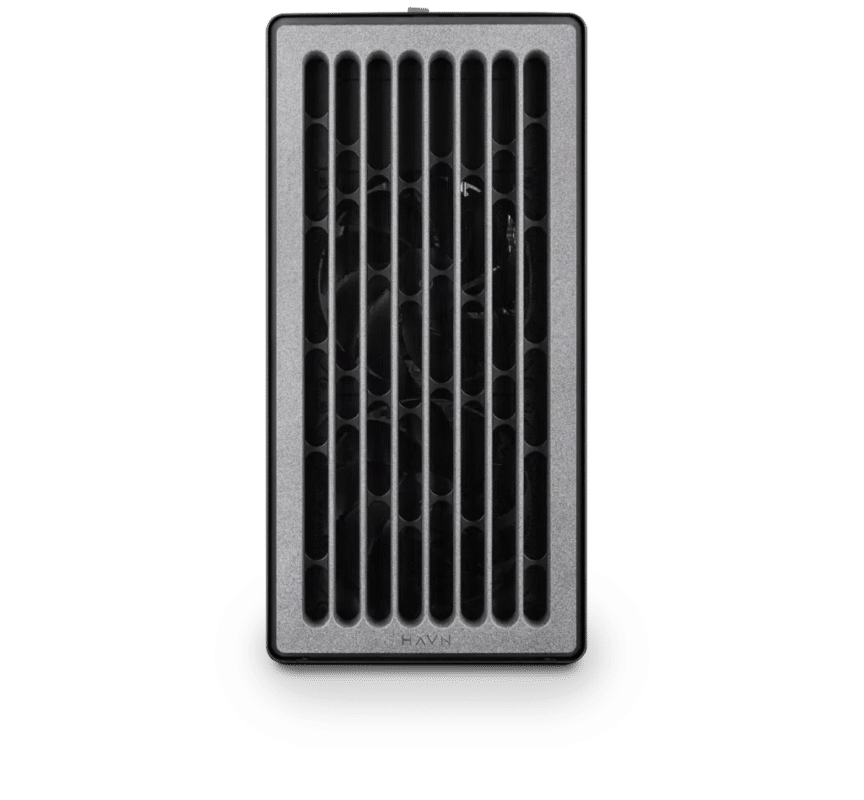
Front on view of Renderboxes Electron Early 2026 Workstation
Standard

TouchDesigner – Standard

Electron · NVIDIA RTX PRO 4500 32GB

Single-process projects, installs and live visuals: a 32GB professional card for large-format playback.

  • CPU: AMD Ryzen 9 9950X3D
  • RAM: 128GB DDR5 5600MT/s (2x64GB)
  • PCIe 1 (x16): NVIDIA RTX PRO 4500 Blackwell 32GB
  • NVMe Storage (Gen 5.0): M.2 NVMe Gen 5 2TB
  • Operating System: Microsoft Windows 11 Pro

£10,995 inc VAT

Built to order · build time 5–7 working days1

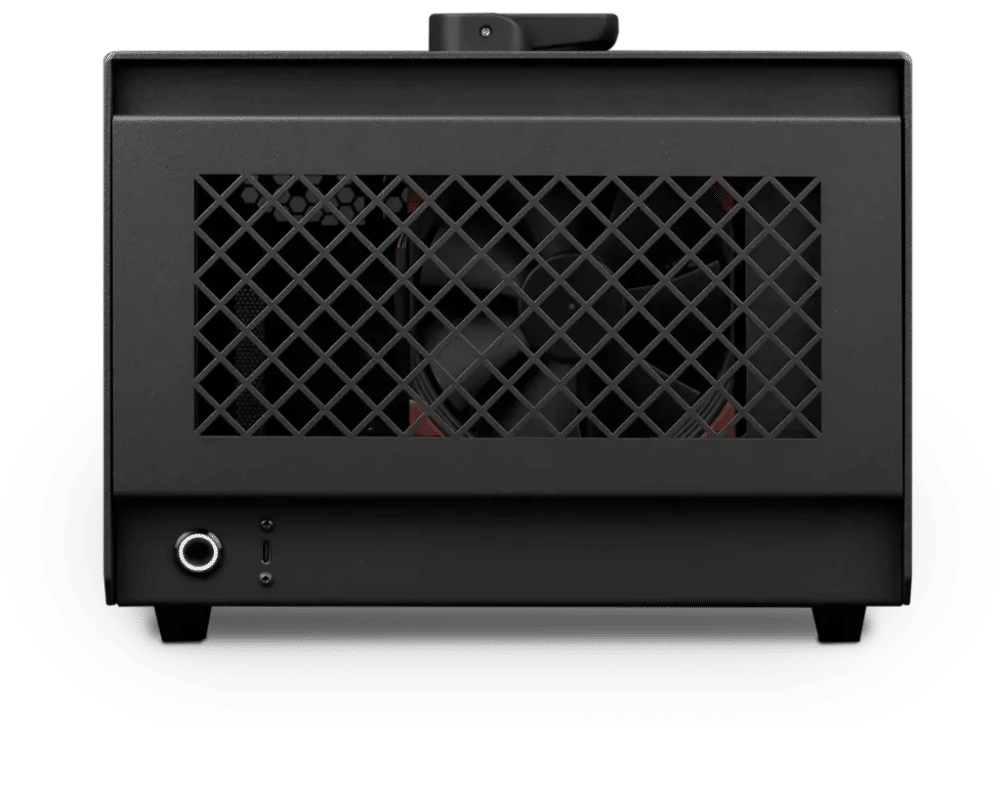
Renderboxes Photon Workstation
Heavy

TouchDesigner – Heavy

Photon · NVIDIA RTX PRO 5000 48GB

Touring rigs and heavier media: a 48GB professional card in the Photon, with room for a capture card and a sync card. 1.5 times the GPU memory of Standard.²

  • Motherboard: Supermicro H13SAE-MF (3 × PCIe slots, IPMI)
  • CPU: AMD Ryzen 9 9950X3D
  • RAM: 128GB DDR5 5600MT/s (2x64GB)
  • PCIe 2 (x16): NVIDIA RTX PRO 5000 Blackwell 48GB
  • PCIe 4 (x8): Blackmagic DeckLink 8K Pro Mini
  • NVMe Storage (Gen 5.0): M.2 NVMe Gen 5 4TB
  • Operating System: Microsoft Windows 11 Pro

£15,565 inc VAT

Built to order · build time 5–7 working days1

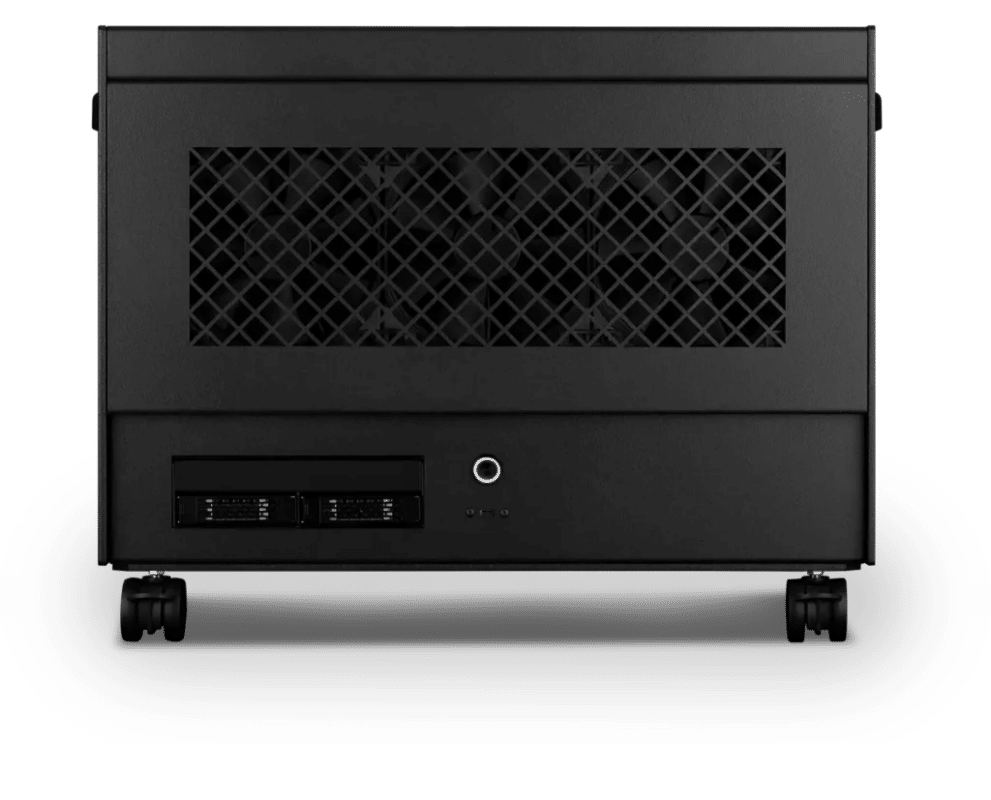
Front on view of Renderboxes Atom Workstation 2 GPUs, one process on each
Studio

TouchDesigner – Studio

Atom · 2x NVIDIA RTX PRO 6000 Max-Q 96GB

Multi-output shows split into two processes, one per GPU with GPU affinity: two 96GB cards. Twice the GPUs of Heavy.²

  • Motherboard: Gigabyte TRX50 AI TOP (4 × PCIe slots, 10GbE)
  • CPU: AMD Ryzen Threadripper 9970X 32 Core
  • RAM: 4 × 64GB RDIMM ECC DDR5 6400
  • PCIe slots (16x): 2 × NVIDIA RTX PRO 6000 Blackwell Max-Q 96GB
  • PCIe slots (16x): Blackmagic DeckLink 8K Pro G2
  • NVMe M.2 Drives (Gen 5): M.2 NVMe Gen 5 4TB
  • Operating System: Microsoft Windows 11 Pro

£51,905 inc VAT

Built to order · build time 7–10 working days1

Each recommended system is a starting point. Select Customise to add components or change the specification before you order.

1 Working days, when all parts are in stock. If a part is delayed, we confirm your dispatch date before your order goes ahead.

TouchDesigner logo

What is TouchDesigner?

TouchDesigner, from Derivative, is a node-based visual programming environment for real-time interactive media. You wire operators together in a network: TOPs for images and video, CHOPs for motion, audio, animation and control signals, POPs and SOPs for 3D geometry, and DATs for text, tables and Python scripts. A projection, installation or show can be built and changed while it runs.

TouchDesigner connects to depth cameras, motion tracking, OSC, NDI, Dante, SDI capture cards and Notch Blocks, and can drive DMX lighting, LED arrays and lasers. Computing an operator is called cooking. TouchDesigner only cooks the nodes that need it each frame, and running at 30 or 60 frames a second means keeping that work small, which is why both a fast CPU core and a strong GPU matter.

TouchDesigner is a trademark of Derivative Inc. Renderboxes is not affiliated with or endorsed by Derivative.

Why artists and engineers choose TouchDesigner

  1. Visual programming, live

    Projects are built from wired operators, with Python scripts in DATs wherever logic needs them.

  2. Connects to the room

    Depth cameras, motion tracking, SDI capture, NDI and OSC connect directly to the network.

  3. Scales across GPUs

    GPU affinity runs one TouchDesigner process per GPU, so one machine can drive more outputs.

Diagram: Inputs, then CHOPs and DATs, then TOPs and 3D, then Video playback, then Composite and map, then Outputs

How a TouchDesigner project runs

Each frame, TouchDesigner cooks the operators that need it, from inputs to outputs. Logic runs on the CPU; images, 3D and HAP video run on the GPU.

  1. Take in inputs

    Cameras, sensors, audio, OSC and network data arrive as the project runs.

  2. Run the logic

    CHOPs, DATs and Python cook on the CPU. Derivative notes that the main TouchDesigner thread runs on a single core, so a higher clock speed helps.

  3. Draw images and 3D

    TOPs and POPs run on the GPU.

  4. Play video

    HAP Q is decoded directly by the GPU; NotchLC uses the GPU with more CPU load; H.264 and H.265 use hardware decoding on NVIDIA GPUs.

  5. Composite and map

    Layers are combined and placed onto projectors or LED, still on the GPU.

  6. Output

    Frames go to displays, capture cards or the network. Hardware frame lock needs an NVIDIA sync card.

What each part of the machine does for TouchDesigner

Processor clock speed

Runs the main TouchDesigner thread, which runs on a single core.

Derivative advises the highest clock speed available in your processor class and price range.¹ The processor also needs enough PCIe lanes for GPUs, capture cards and NVMe drives.

Matters most

GPU and GPU memory

Runs TOPs, POPs, compositing and HAP video, and drives the outputs.

Derivative asks for at least 4GB of GPU memory and recommends 8GB or more.¹ It recommends a professional card for large-format video played straight from the card and for SDI boards.

Matters a lot

Number of GPUs

With GPU affinity, each TouchDesigner process is bound to one GPU, so two cards run two processes.

That adds outputs, not speed for a single process. Multi-GPU Mosaic adds no performance.¹

Matters

Fast storage

Feeds high-bitrate video files to the decoder.

Derivative recommends NVMe over SATA, and NVMe RAID controller cards for larger, faster playback storage.¹

Matters

System memory

Holds the project, tables and cached media.

Derivative advises the fastest memory your processor and motherboard support rather than a particular size.¹

Matters least

Chart: Derivative minimum 4GB; Derivative recommended 8GB

How much GPU memory does TouchDesigner need?

Derivative publishes a minimum and a recommended figure for GPU memory.

Every build here has at least four times Derivative's recommended figure.¹

1. Derivative's published system requirements, not Renderboxes tests.

What studios use it for

Projection and LED

Buildings, stages and objects lit with projection and LED.

Content, mapping and output are run from one project.

Interactive installations

Museums, retail and brand spaces that respond to people.

Depth cameras and motion tracking connect directly.

Live visuals

Concert and club visuals driven by audio and the performer.

The network can be changed while it runs.

Show control

Running video, lighting and data cues from one system.

DMX and OSC are built in.

Immersive rooms

Multi-projector rooms and domes.

GPU affinity lets one machine drive more outputs with two processes.

Data visualisation

Live data turned into moving graphics.

DATs pull in web and XML data, and Python handles the rest.

Video codecs in TouchDesigner

Which part of the machine decodes each common playback codec, from Derivative's documentation.¹ 1. Derivative's published documentation, not Renderboxes tests. 2. Comparisons are of GPU memory or the number of GPUs between Renderboxes builds, not speed.

Decoded by Notes
HAP Q GPU Read directly by the GPU, with very little CPU load
NotchLC GPU, with more CPU load Higher quality than HAP Q at its best setting
H.264 and H.265 NVIDIA GPU hardware decoder Hardware-accelerated decoding on Windows needs an NVIDIA GPU

Tell us what you need for TouchDesigner

Share your TouchDesigner version, outputs, video formats and capture needs. We will review the right configuration and confirm availability before you order.

This field is for validation purposes and should be left unchanged.

Frequently asked questions

The main thread is probably the limit. It runs on a single CPU core, so if the operators cooking on it take longer than a frame, frames drop whatever the GPU is doing. The Performance Monitor shows what cooked in one frame, and Derivative advises keeping the number of cooking nodes small.

Derivative puts it at four to six outputs per GPU, and suggests a display splitter on one GPU before adding more GPUs when your pixels fit.¹ Beyond that, GPU affinity runs a second TouchDesigner process on a second GPU.

Yes. Hardware frame lock in the Window COMP needs Windows and an NVIDIA sync card.¹ Without it, the Sync In and Sync Out CHOPs in TouchDesigner Pro keep several processes within a single frame of each other over the network.

No. Derivative supports Windows 10 and 11, and macOS 13 or later.¹

Not for a single process. GPU affinity, available since 2022.20000, binds one TouchDesigner process to one GPU, so a second card lets you run a second process and drive more outputs (Derivative multi-GPU guide). A project that runs as one process gains nothing from extra GPUs, and Mosaic does not add performance.

Derivative recommends a professional card when you play back large-format video directly from the graphics card or use SDI expansion boards (Derivative video server guide). The NVIDIA RTX PRO 4500 32GB and NVIDIA RTX PRO 5000 48GB in Standard and Heavy are professional cards too, so every tier here meets that guidance.

Derivative describes the Blackmagic DeckLink 8K Pro as well tested, alongside cards from AJA, Bluefish444 and Datapath (Derivative video server guide). Tell us which inputs you need and we will confirm the card before you order.

HAP decodes on the GPU, while NotchLC relies more on the CPU (Derivative video server guide). Derivative recommends NVMe or NVMe RAID storage for playback.

Standard suits most single-process projects. Heavy raises the GPU memory to 48GB with the NVIDIA RTX PRO 5000 48GB in the Photon, for touring installs. Studio is for multi-output work you can split into two processes, one per GPU, and for large-format playback or SDI on RTX PRO cards.

Talk to someone at Renderboxes

Not sure which build is right? Speak to our team and we will help you choose the right configuration for your work.

Phone icon

Request a callback

Book a time that suits you and one of our team will call you.

BOOK A CALL
Mail icon

Send us an enquiry

Tell us what you are working on and we will recommend a configuration.

Contact us
Fast response team icon

Customer care phone

Call us for instant support

0800-955-RNDR (7637)

Mon-Fri, 9 AM - 5 PM